
Loading
Warhawk Division is a gaming community. This is a unit document, not a government or military publication.Warhawk Division is an independent gaming community, for entertainment purposes only. It is not affiliated with, sponsored by, or endorsed by Bohemia Interactive, the United States Department of Defense, or any military organization. Arma Reforger is a trademark of its respective owner. Printed from warhawkdivision.com.
Week 6 content
0 of 14 done
Slide 1 of 14
Exam objectives: 2.4 Given a scenario, analyze indicators of malicious activity. 2.5 Explain the purpose of mitigation techniques used to secure the enterprise.
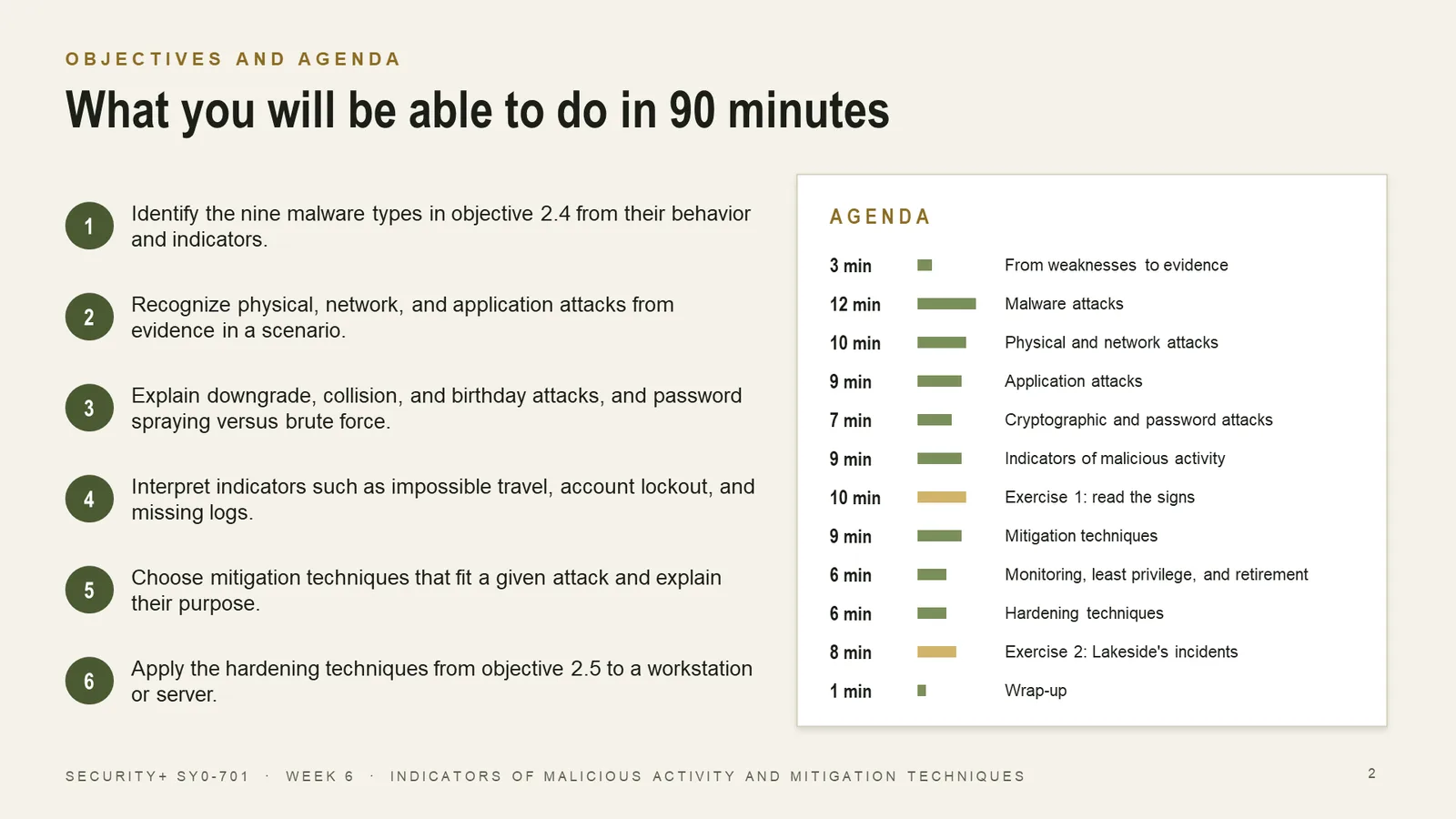
3 min
Last week you learned to name vulnerabilities. This week you learn to recognize an attack while it is happening, and to choose controls that stop it or limit it.
Objective 2.4 begins with "given a scenario," which means the exam will show you evidence and ask you to analyze it: a log entry, a symptom a user reports, a pattern of failed logins. Your job is to name the attack and the indicator. Objective 2.5 asks you to explain the purpose of mitigation techniques, so for each one you should be able to say which attacks it blunts and how.
Two terms frame the lesson. An indicator of compromise (IoC) is evidence that an attack has happened or is happening: a known malicious IP address in the firewall log, a ransom note, a new admin account no one created. A mitigation is a control that reduces the likelihood or impact of an attack. As you go, pair them in your notes: for each attack, one indicator that reveals it and one mitigation that would have stopped it.
12 min
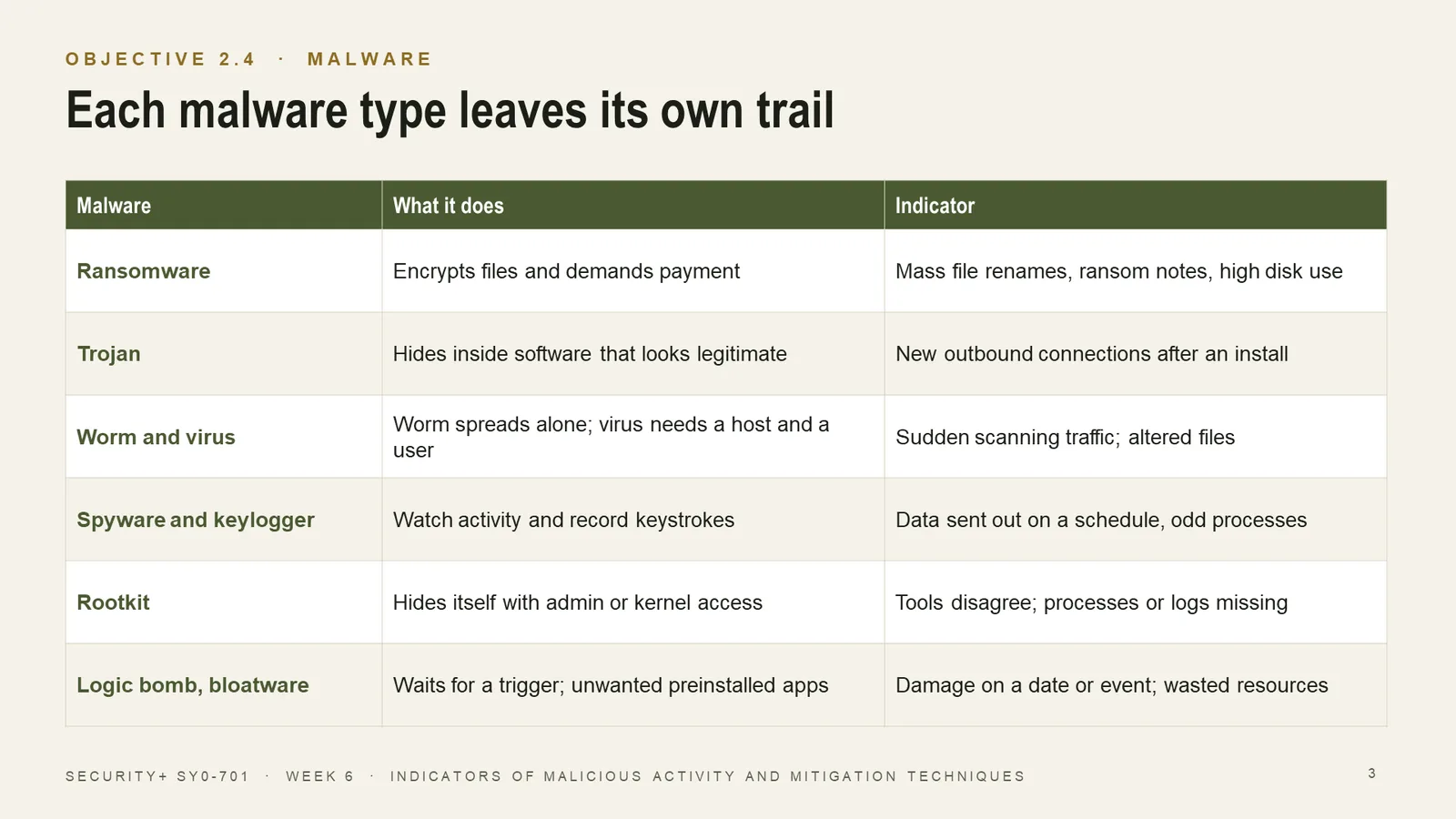
Objective 2.4 lists nine malware types. Learn each one's defining behavior, because the exam describes behavior and expects you to supply the name.
Watch out
Worm versus virus is a favorite exam trap. If it spreads without anyone clicking, it is a worm. If it needs a user to run an infected file, it is a virus.
Tip
A rootkit can hide from the system it infects, so the best check is from outside: boot from trusted media, or compare what the host reports with what the network sees.
10 min
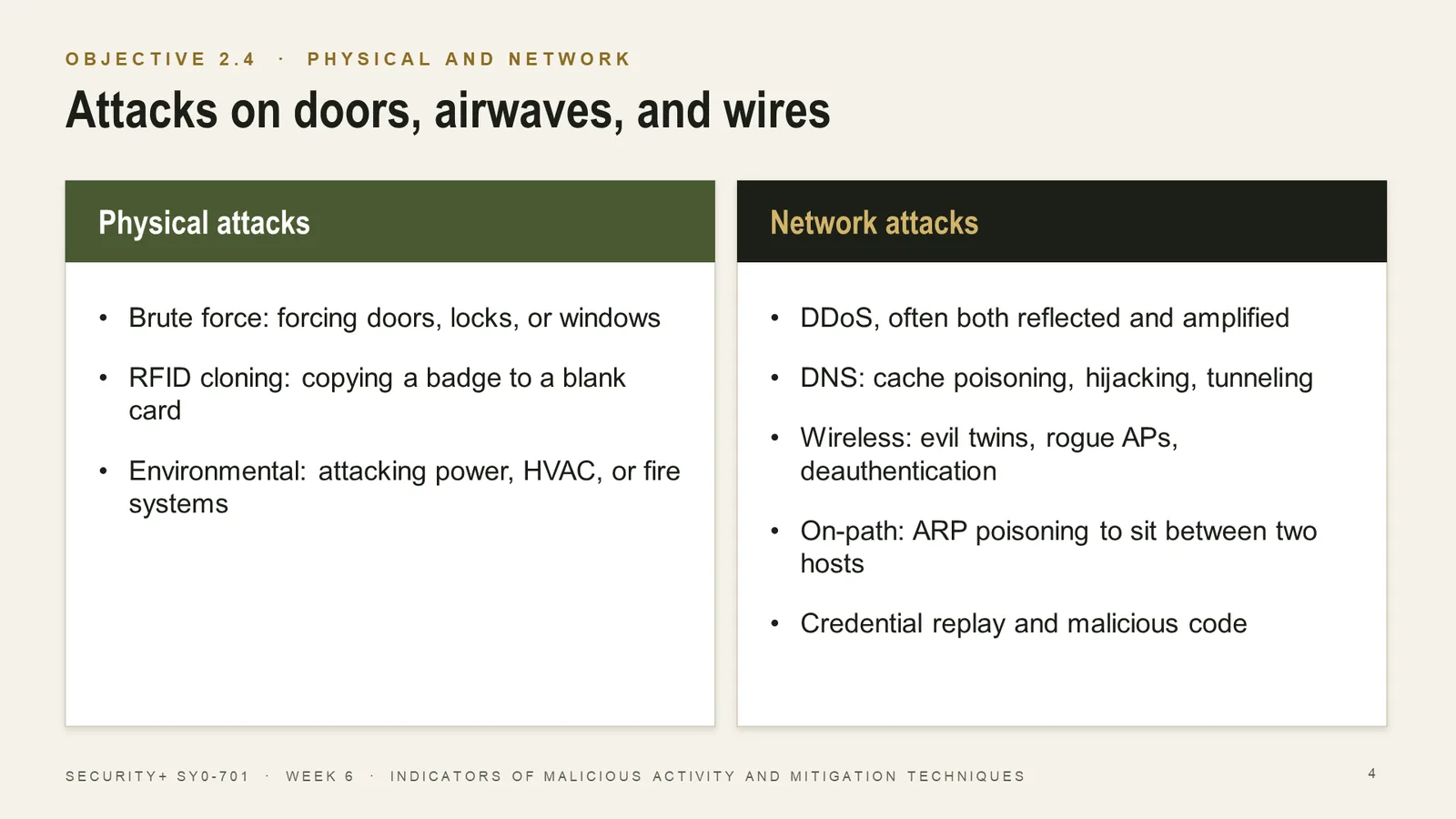
Physical attacks bypass technical controls by going through the building.
Network attacks target availability and the paths traffic takes.
9 min
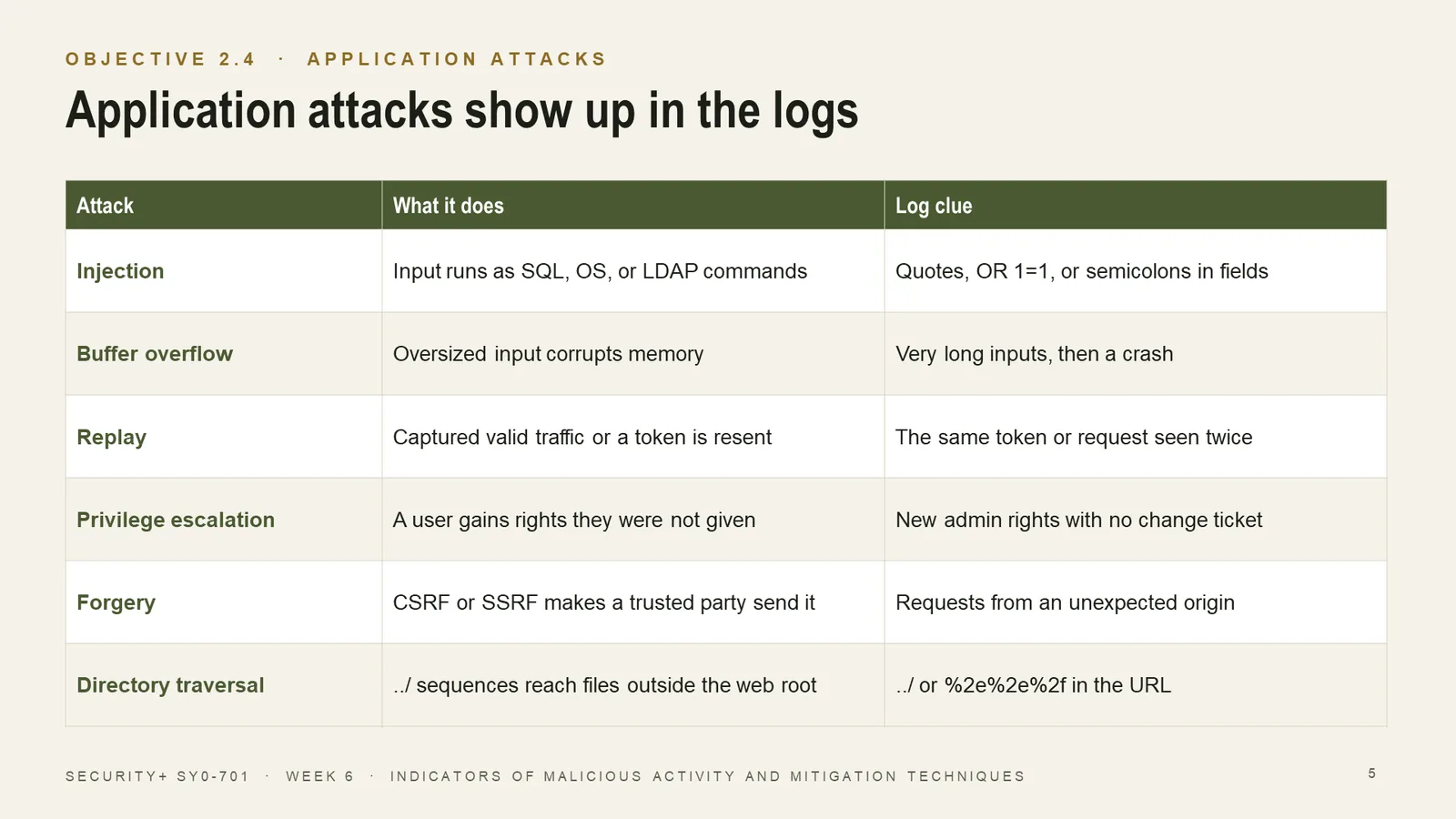
Application attacks exploit the flaws you met in week 5. Here the goal is to recognize them in evidence.
OR 1=1, or command separators in form fields.../ sequences climb out of the web root to read files such as /etc/passwd. Attackers often URL-encode them as %2e%2e%2f to slip past filters.Tip
CSRF abuses the user's session in their browser. SSRF abuses the server's network position. Both are forgery: a trusted party sends a request it did not mean to send.
7 min
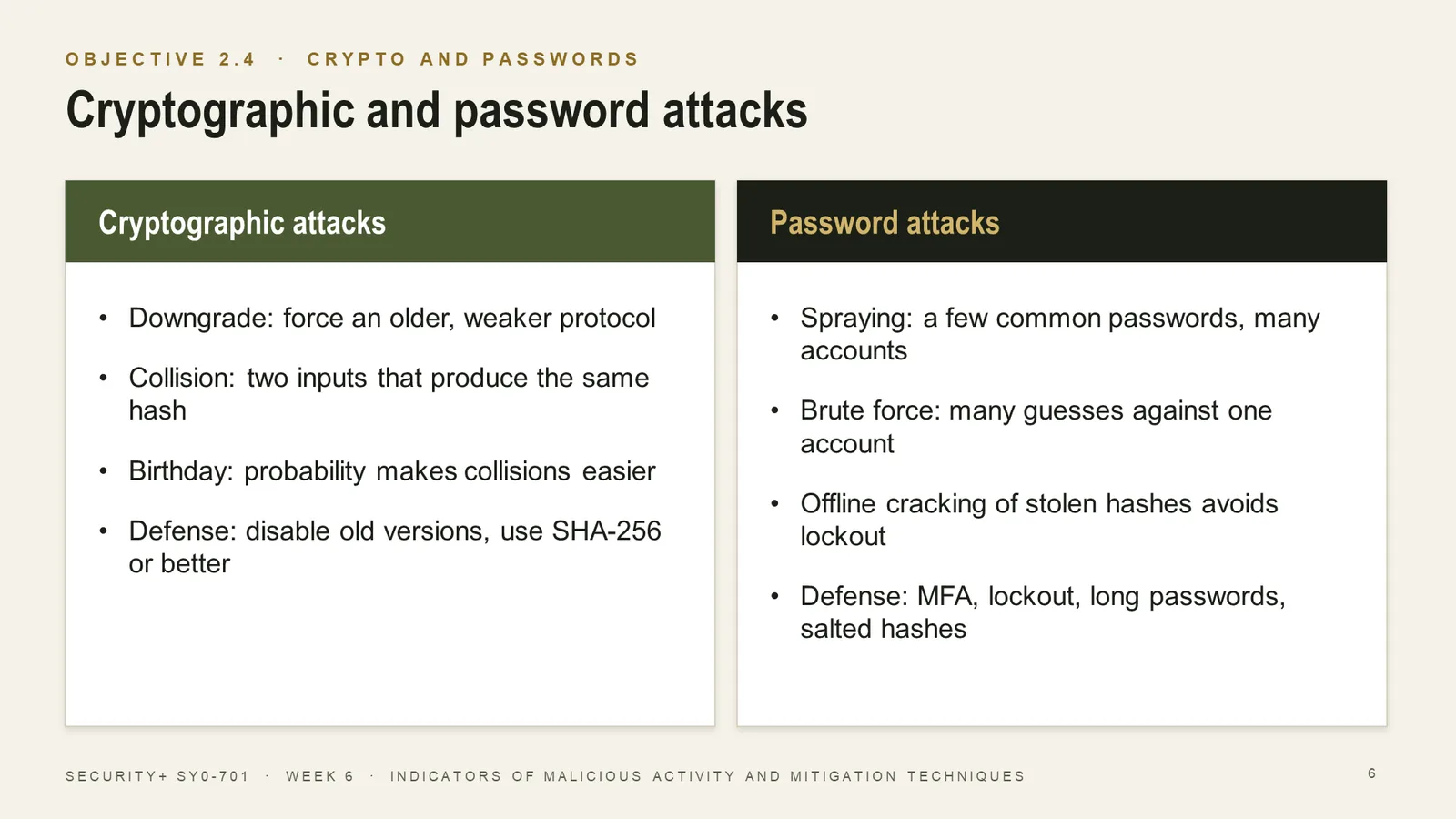
Cryptographic attacks usually avoid breaking the algorithm head on.
Password attacks are far more common.
Defenses: MFA first, then long passwords, a ban on common passwords, account lockout, and salted, slow password hashes so stolen hashes are expensive to crack.
9 min
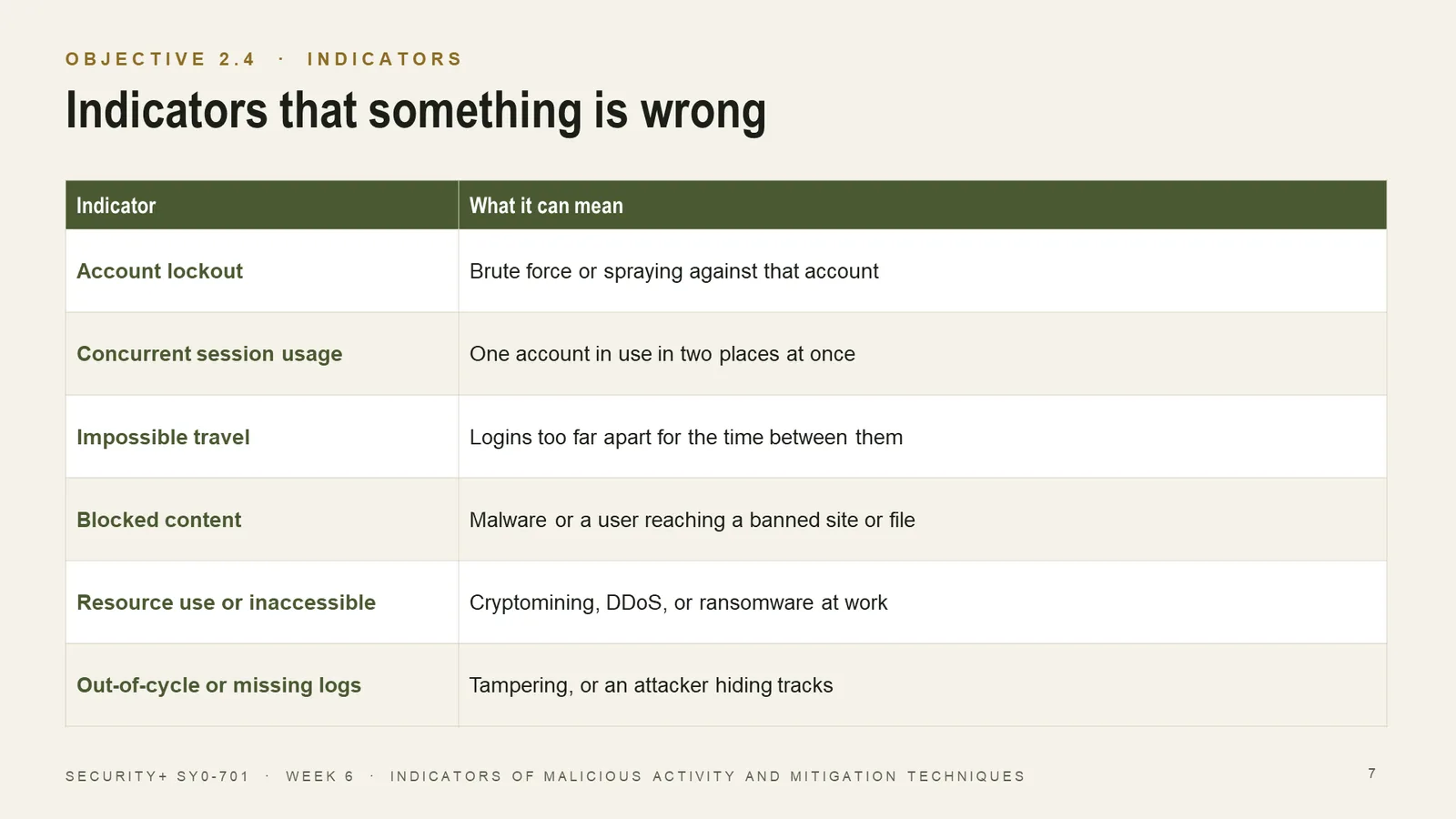
Objective 2.4 lists nine indicators. Each one is a prompt to investigate, not proof by itself.
Watch out
Missing logs are an indicator, not just an inconvenience. Send logs to a central server the attacker cannot easily reach, so a gap on the host stands out against a complete copy.
10 min
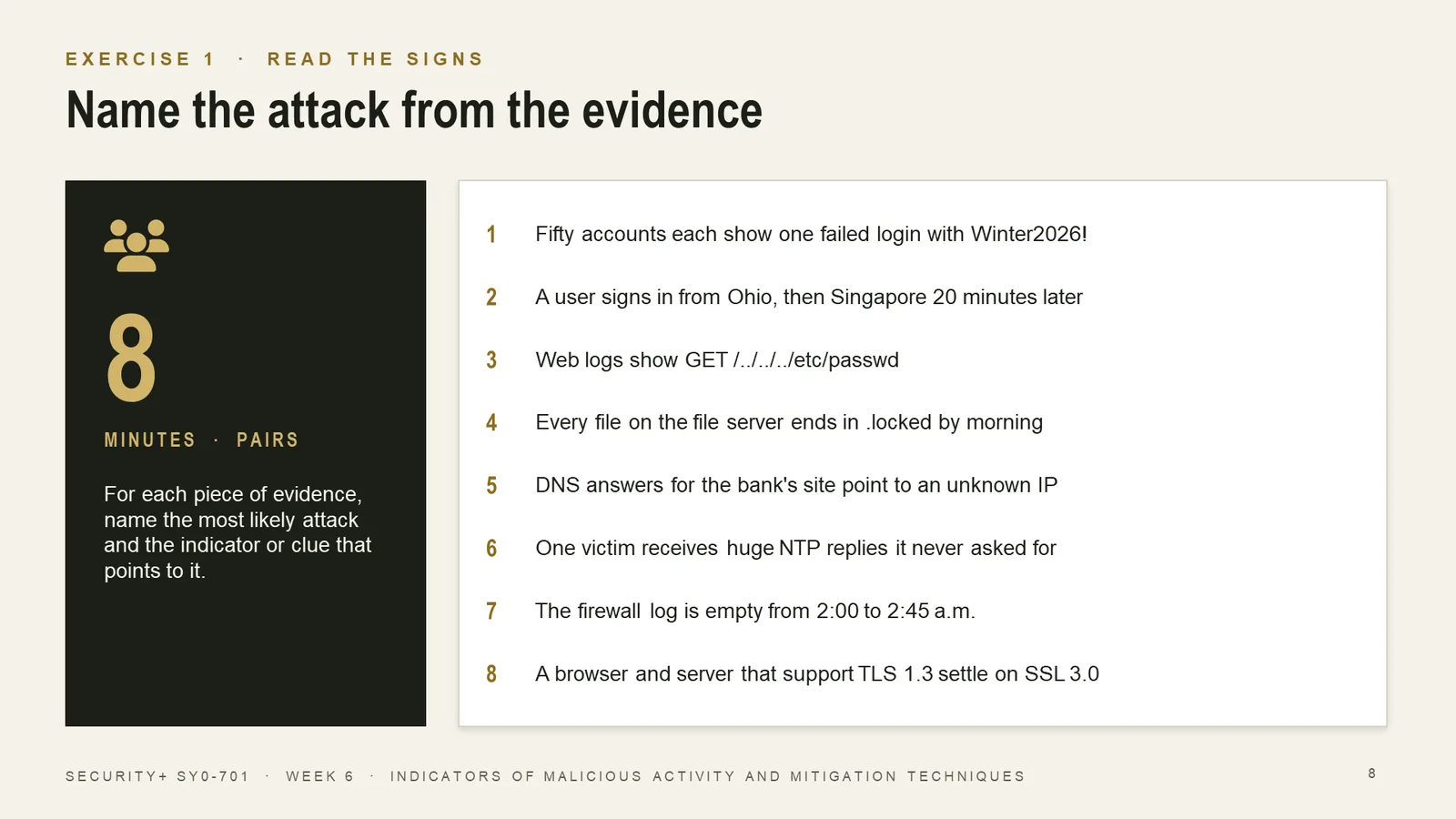
With a partner, take eight minutes. For each piece of evidence, name the most likely attack and the indicator or clue that points to it. Some items describe an indicator from the list; others give a clue you would find in a log.
Winter2026!.GET /../../../etc/passwd..locked by morning, and staff cannot open them.../ sequences try to climb out of the web root to read a system file.9 min
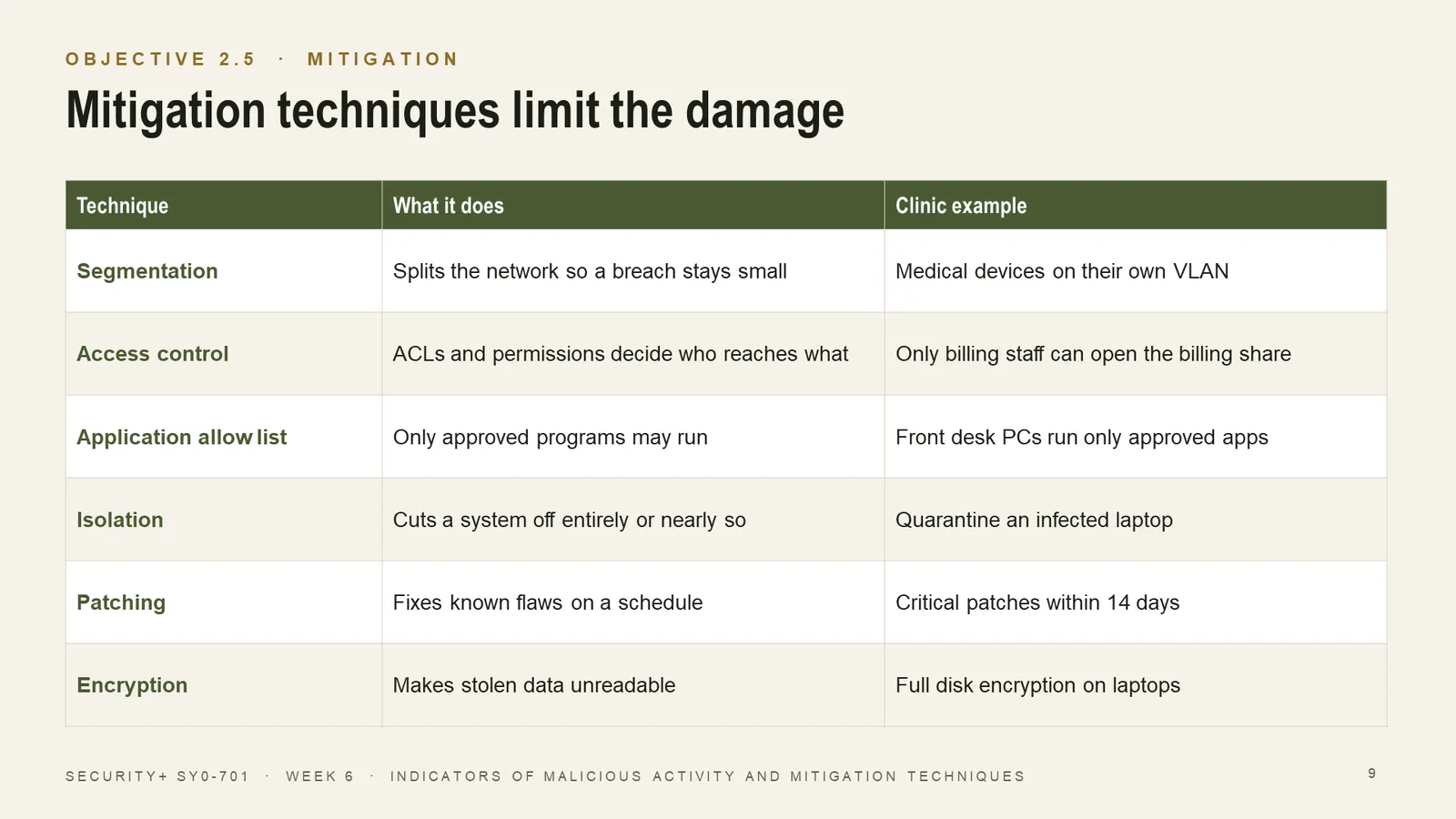
Objective 2.5 asks why each mitigation technique exists. Six of them change what an attacker can reach or exploit.
Tip
Segmentation versus isolation: segmented systems still communicate, under rules. Isolated systems do not communicate, or only through a tightly controlled path.
6 min
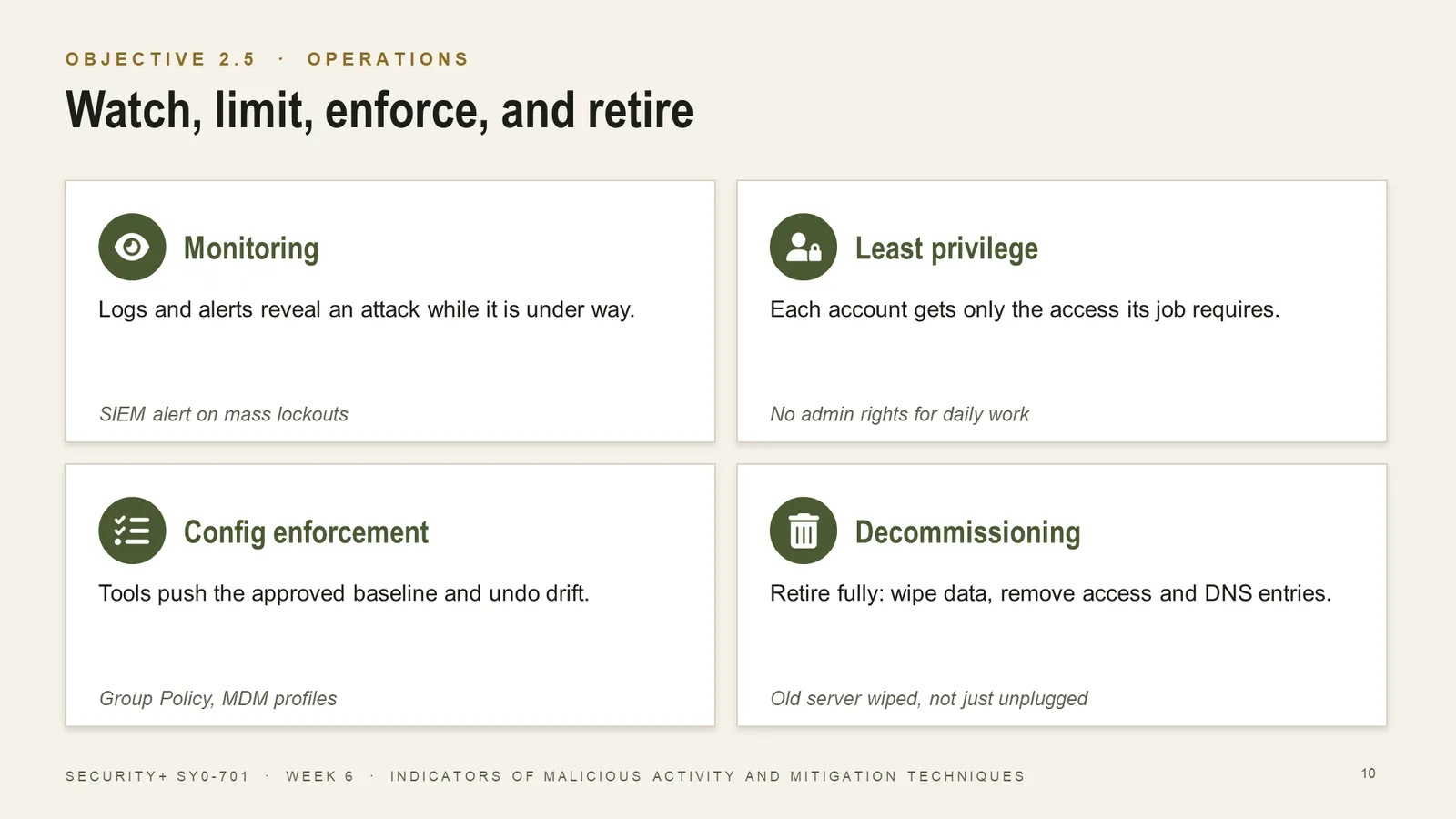
Four more techniques keep systems secure over time.
Watch out
A decommissioned system that still answers on the network is worse than a live one: no one is patching it or watching its logs.
6 min
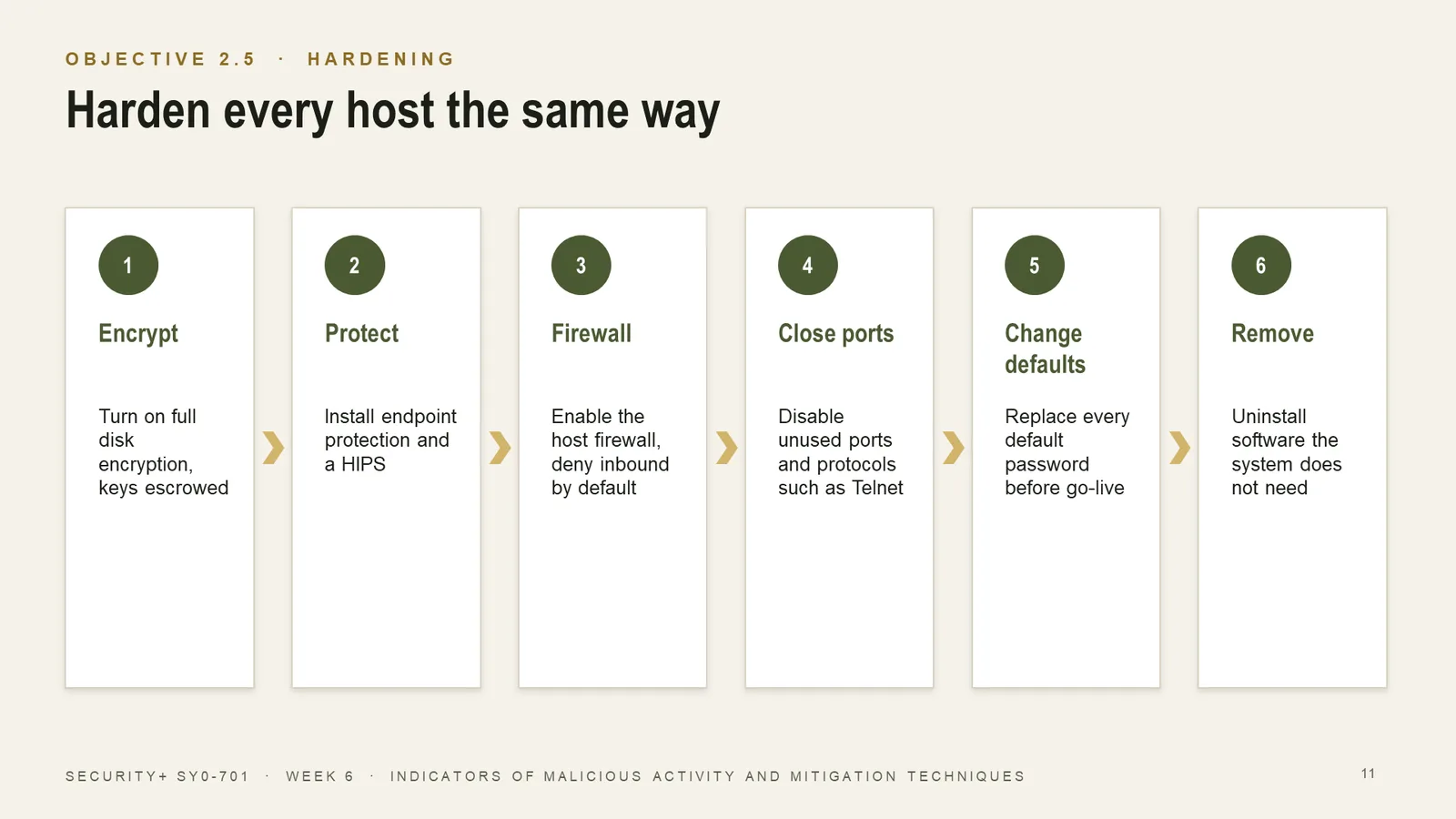
Hardening reduces the attack surface of a single system. Objective 2.5 lists seven techniques.
A hardened build is written down as a baseline, such as a CIS Benchmark, and applied the same way to every system of that type. Week 11 returns to this in depth.
8 min
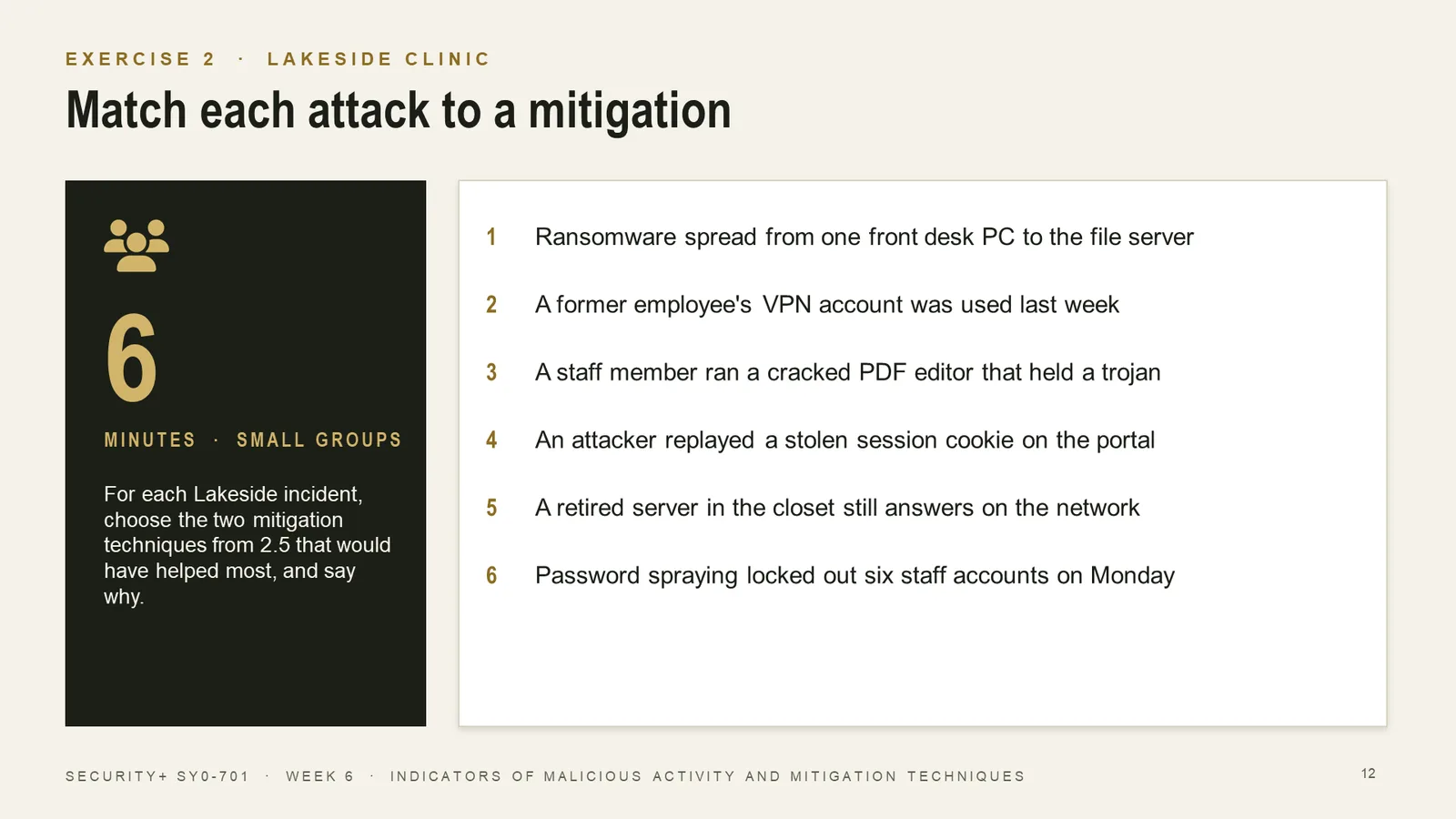
Lakeside Family Clinic had a bad month. In groups, choose the two mitigation techniques from objective 2.5 that would have helped most with each incident, and say whether each one prevents the attack or limits its damage.
Notice that most incidents need one control that prevents and one that detects or limits. Layering is the point.
1 min
This week connected evidence to attacks, and attacks to the controls that stop them.
Answer the five review questions, then take the quiz.
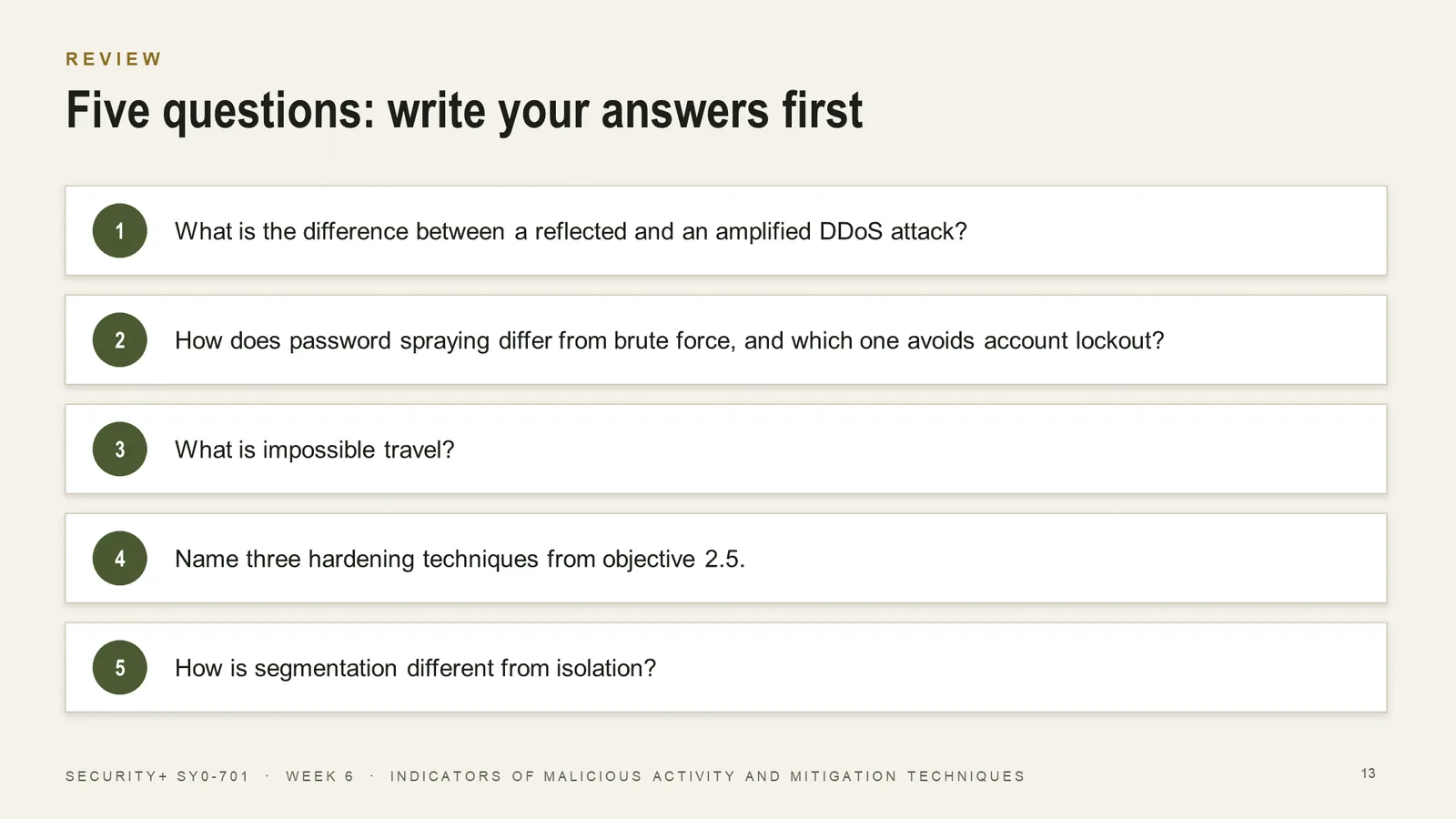
Write your answers to the five review questions first, then open each one to check it.
Reflected: the attacker spoofs the victim's address so third-party servers send replies to the victim. Amplified: each small request produces a much larger reply. Large attacks usually combine both.
Spraying tries a few common passwords across many accounts; brute force tries many passwords against one account. Spraying avoids lockout because each account sees only one or two failures.
Logins for one account from two locations too far apart to travel between in the time that passed. It suggests stolen credentials, after ruling out a VPN.
Any three of: encryption, installation of endpoint protection, host-based firewall, HIPS, disabling ports and protocols, default password changes, and removal of unnecessary software.
Segmentation divides the network into zones that still communicate under rules. Isolation cuts a system off entirely or nearly so, as when an infected laptop is quarantined.
60 min
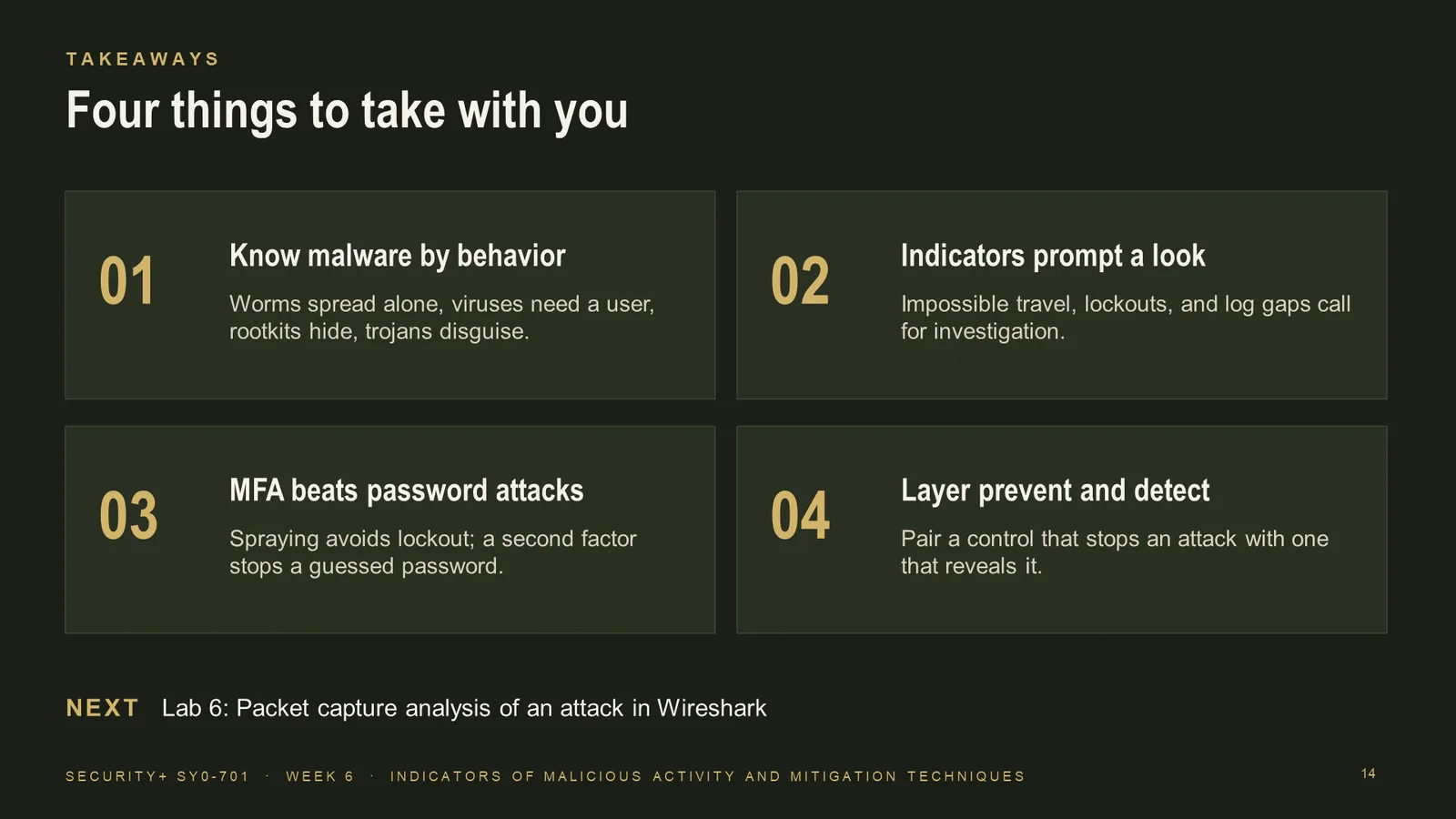
01 Know malware by behavior
Worms spread alone, viruses need a user, rootkits hide, trojans disguise.
02 Indicators prompt a look
Impossible travel, lockouts, and log gaps call for investigation.
03 MFA beats password attacks
Spraying avoids lockout; a second factor stops a guessed password.
04 Layer prevent and detect
Pair a control that stops an attack with one that reveals it.
Week 6 interactive lab
Warhawk Division Packet Analysis Lab (tcpdump 4.99.4)
Capture loaded: attack.pcap (1,420 packets). Use tcpdump filters to investigate.
You need Wireshark on your Linux analysis VM and one attack capture your instructor assigns, from the Wireshark wiki's SampleCaptures page or a malware-traffic-analysis.net training exercise. Captures of malware traffic can contain live malware: open them only inside the isolated lab VM, never copy extracted files to your host, and never run anything you extract.
Lab steps · 0 of 9 complete (0%)
A lab report with the capture's file name and SHA-256 hash, screenshots of the Protocol Hierarchy, the Conversations view, and one followed stream, your timeline table, the attack and indicators you identified, and answers to the lab questions.