
Loading
Warhawk Division is a gaming community. This is a unit document, not a government or military publication.Warhawk Division is an independent gaming community, for entertainment purposes only. It is not affiliated with, sponsored by, or endorsed by Bohemia Interactive, the United States Department of Defense, or any military organization. Arma Reforger is a trademark of its respective owner. Printed from warhawkdivision.com.
Week 14 content
0 of 14 done
Slide 1 of 14
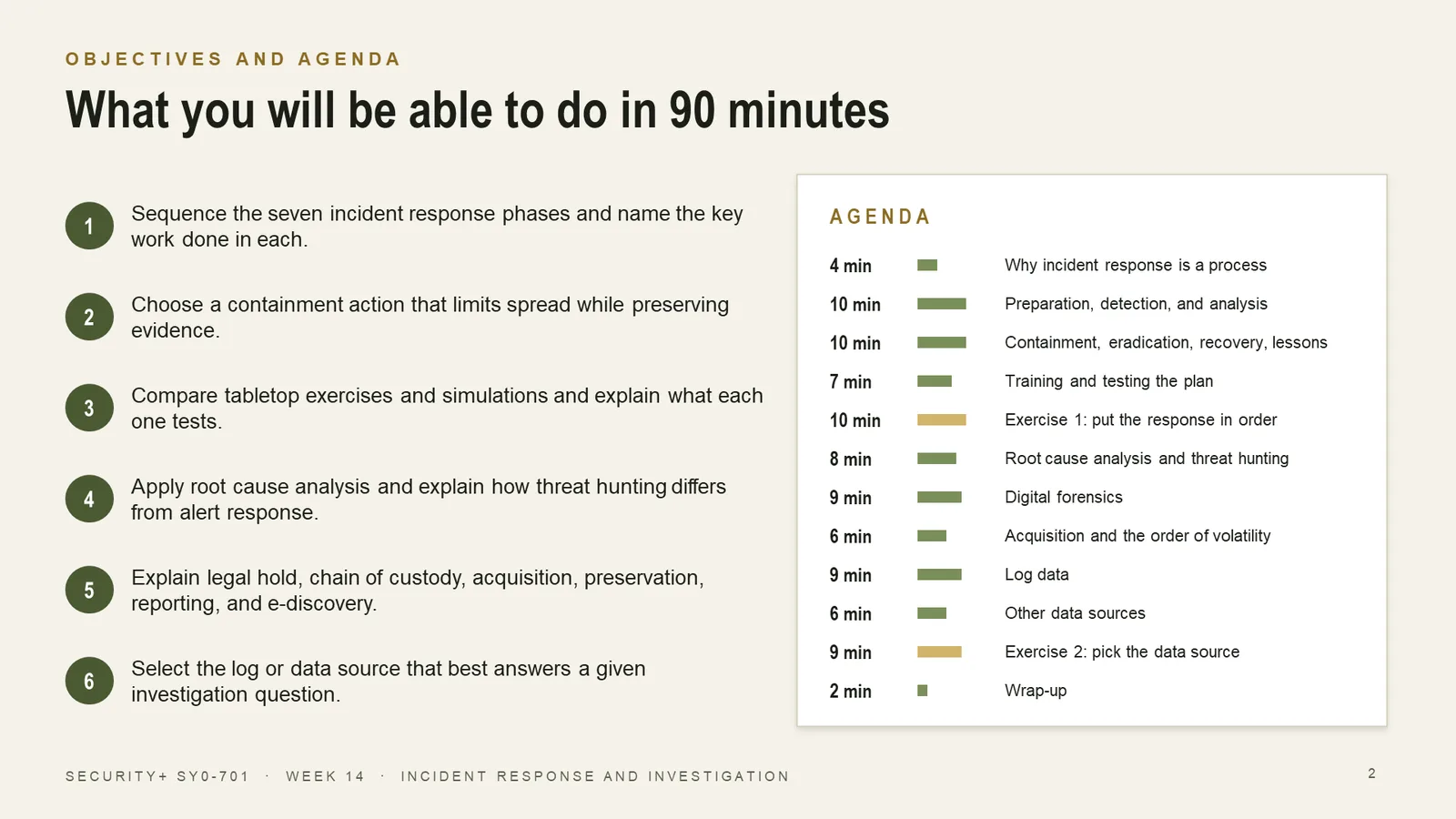
Exam objectives: 4.8 Explain appropriate incident response activities. 4.9 Given a scenario, use data sources to support an investigation.
4 min
An incident is an event that actually or potentially harms the confidentiality, integrity, or availability of a system or its data, or that breaks a security policy. A failed login is an event. Fifty failed logins followed by a success from another country is probably an incident.
Incident response (IR) is the organized way a team handles one. Without a plan, people improvise: someone powers off the infected server and loses the memory evidence, someone else emails the whole staff from a compromised account, and nobody calls the cyber insurer until day three. With a plan, each person knows their role, the order of work, and who has the authority to make the hard calls.
This week covers objective 4.8, incident response activities, and objective 4.9, the data sources an investigator uses. The standard reference is NIST SP 800-61 Rev. 3, which ties incident response to the CSF 2.0 functions. CompTIA's seven phases cover the same work in finer steps, and those seven phases are what the exam asks about.
Keep Lakeside Family Clinic in mind as you read. The lab drops you into a Monday morning there when the scheduling system will not open and every file on the shared drive has a strange new extension.
10 min
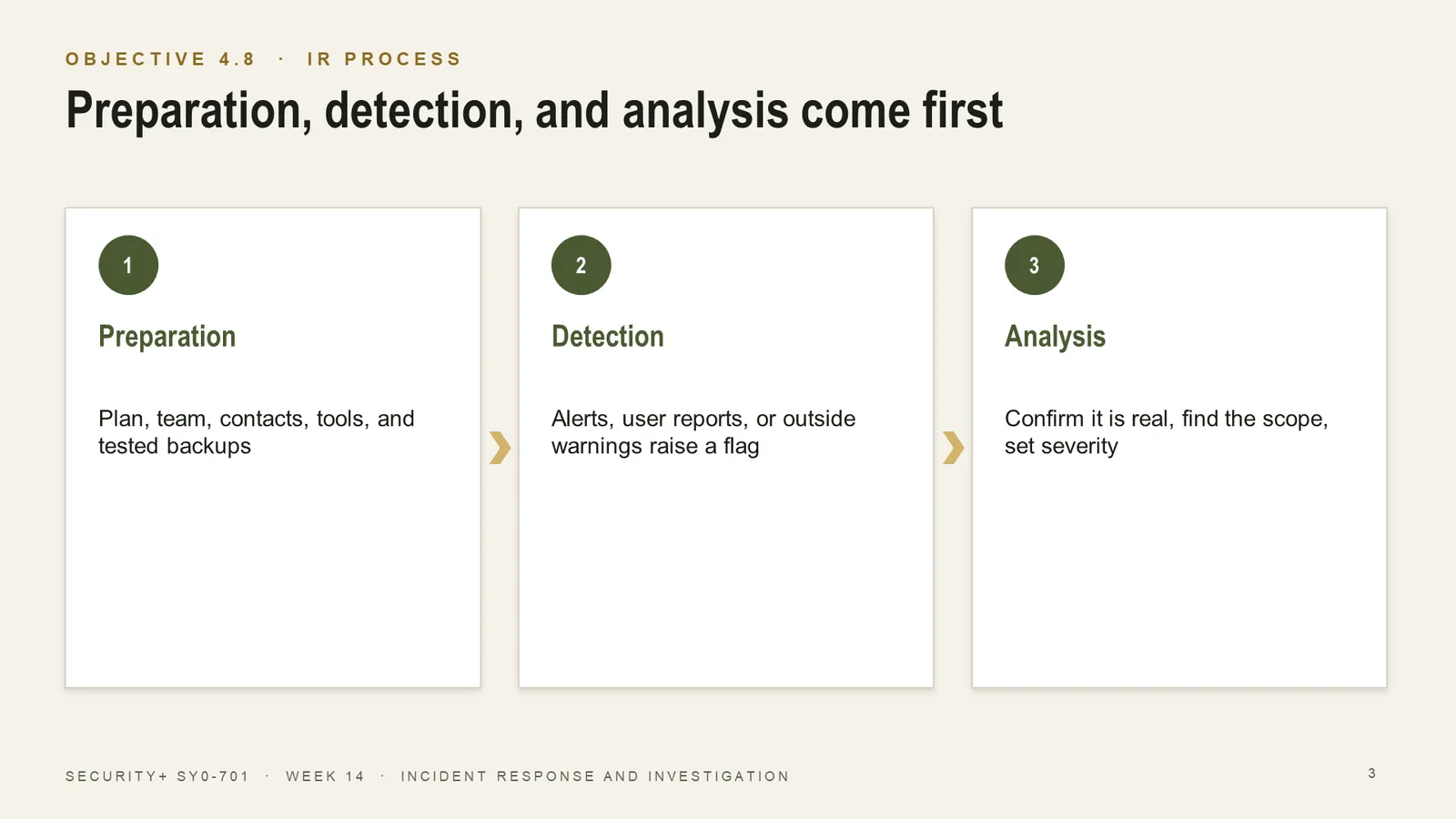
Preparation happens before anything goes wrong, and it decides how well everything else goes.
Detection is noticing that something is wrong. Sources include SIEM and IDS alerts, antivirus detections, a user calling the help desk, a warning from a vendor or law enforcement, or the attacker's own ransom note. Detection asks one question: is this an incident?
Analysis confirms the incident and works out its scope and severity. The analyst correlates logs, identifies affected hosts and accounts, matches indicators of compromise, and classifies the activity, often with MITRE ATT&CK techniques. Analysis also sets priority: ransomware on the EHR server outranks adware on a waiting room kiosk.
Detection and analysis often loop. An alert leads to analysis, which turns up new indicators, which lead to more detection. Record every step with a timestamp, because those notes become the incident report and, if needed, evidence.
Tip
If a question describes writing plans, buying tools, or building a contact list, the answer is preparation, even when the wording sounds urgent. If it describes deciding whether alerts are real and how far they reach, the answer is analysis.
10 min
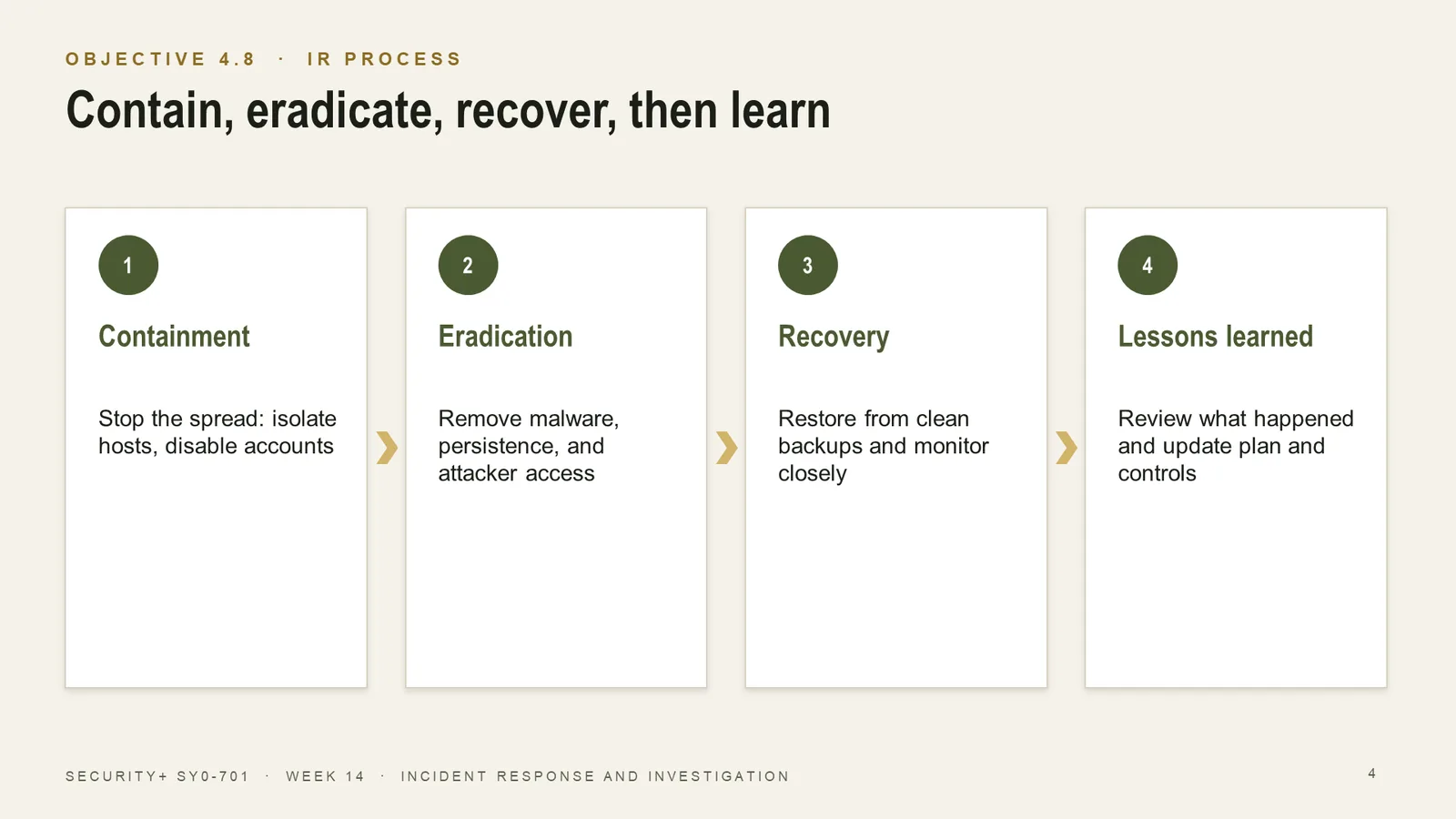
Containment limits the damage and stops the spread. It buys time to work. Examples: isolate an infected host with the EDR's network quarantine or by pulling its cable, disable a compromised account, block a command-and-control domain at the firewall, or move systems to an isolated VLAN. Containment trades business impact against evidence. Powering a machine off stops the spread but destroys what is in memory, so isolate the network connection and leave it running when you can.
Eradication removes the cause: delete malware and its persistence (scheduled tasks, new services, registry run keys), remove accounts the attacker created, reset compromised credentials, and patch the vulnerability that let them in. Reimaging from a known-good image is usually more reliable than cleaning a system by hand.
Recovery returns systems to normal operation: restore data from clean backups, rebuild servers, bring services back in stages, and watch closely for signs that the attacker is still present. Recovery targets come from the RTO and RPO set in the business impact analysis.
Lessons learned happens after the incident closes, ideally within two weeks while memories are fresh. The team reviews what happened, what worked, what failed, and what to change in the plan, the controls, and the training. The output is an after-action report with an owner and a due date for each change.
Watch out
Order matters on the exam and in real life. Contain before you eradicate: if you start deleting malware while the attacker still has access, they will notice and may switch tactics or destroy data. Eradicate before you recover: restoring from backup onto a system that still has the attacker's persistence brings the problem straight back.
7 min
A plan nobody has practiced is a guess. Objective 4.8 lists training and two kinds of testing.
Training makes sure each person knows their role. Responders need technical training on the forensic tools and the EDR console. Managers need to know their decision points: when to notify, who talks to patients or the press, who approves taking a system offline. All staff need to know how to report a suspected incident, and that they should not try to fix it themselves.
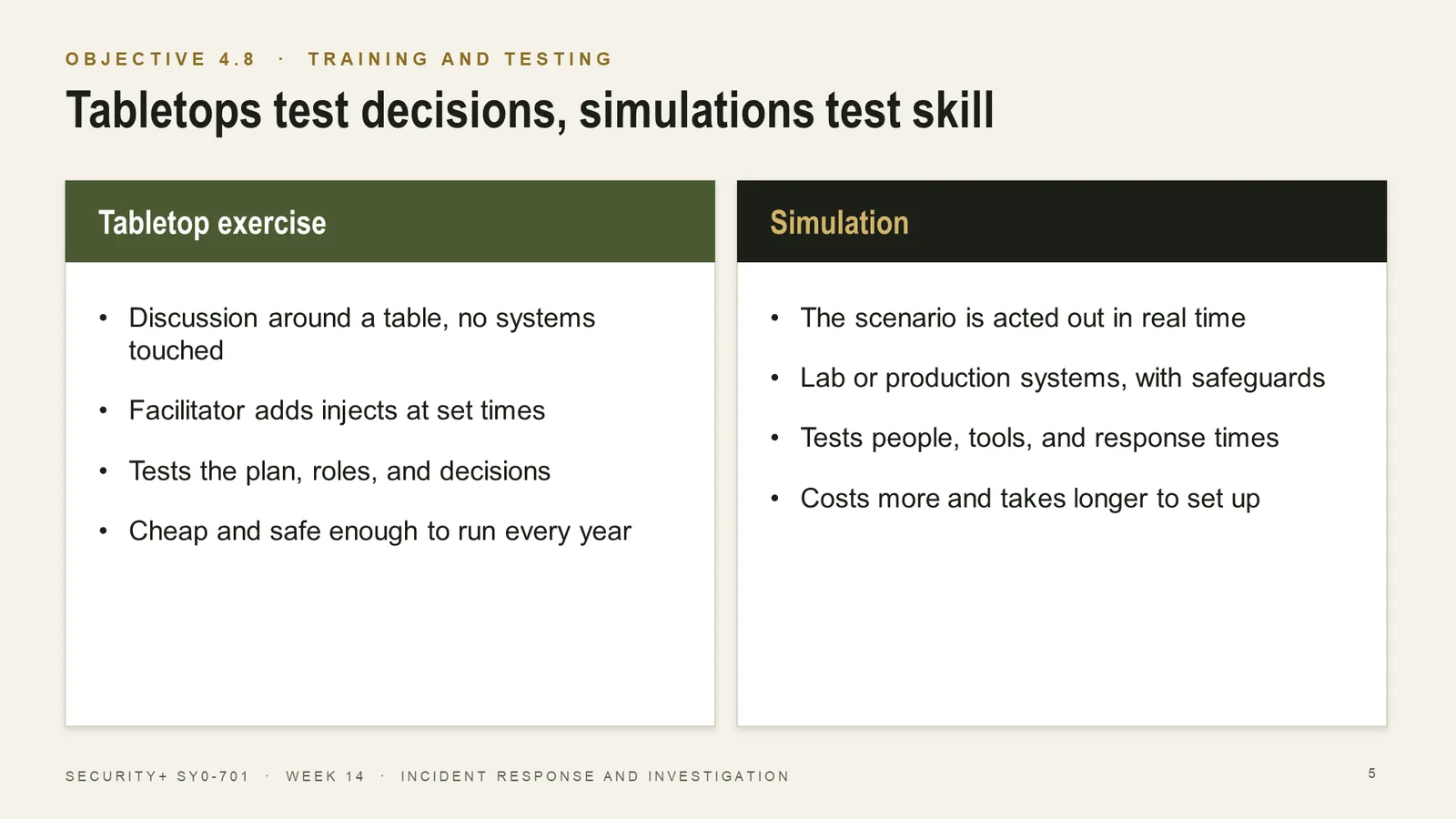
A tabletop exercise is a discussion-based test. Key people sit together, a facilitator reads a scenario, and the group talks through what they would do. New facts, called injects, arrive at set times and change the situation. No systems are touched, so it is cheap and safe. It tests the plan, the roles, communication, and decisions, and it reliably exposes gaps such as "nobody knows who can authorize a ransom decision."
A simulation acts the scenario out. The team responds as if it were real: a red team sends a mock phishing email, or responders work a malware sample in an isolated lab. Simulations test whether people and tools actually perform, not just whether the plan sounds right. They cost more and take longer to plan.
| Tabletop exercise | Simulation | |
|---|---|---|
| Format | Discussion | Hands-on, acted out |
| Systems touched | None | Lab or production, with safeguards |
| What it tests | Plan, roles, decisions | People, tools, timing |
| Cost | Low | Higher |
Many organizations run a tabletop every year and add a simulation once the plan is mature. Both should end with a lessons learned review, just like a real incident.
10 min
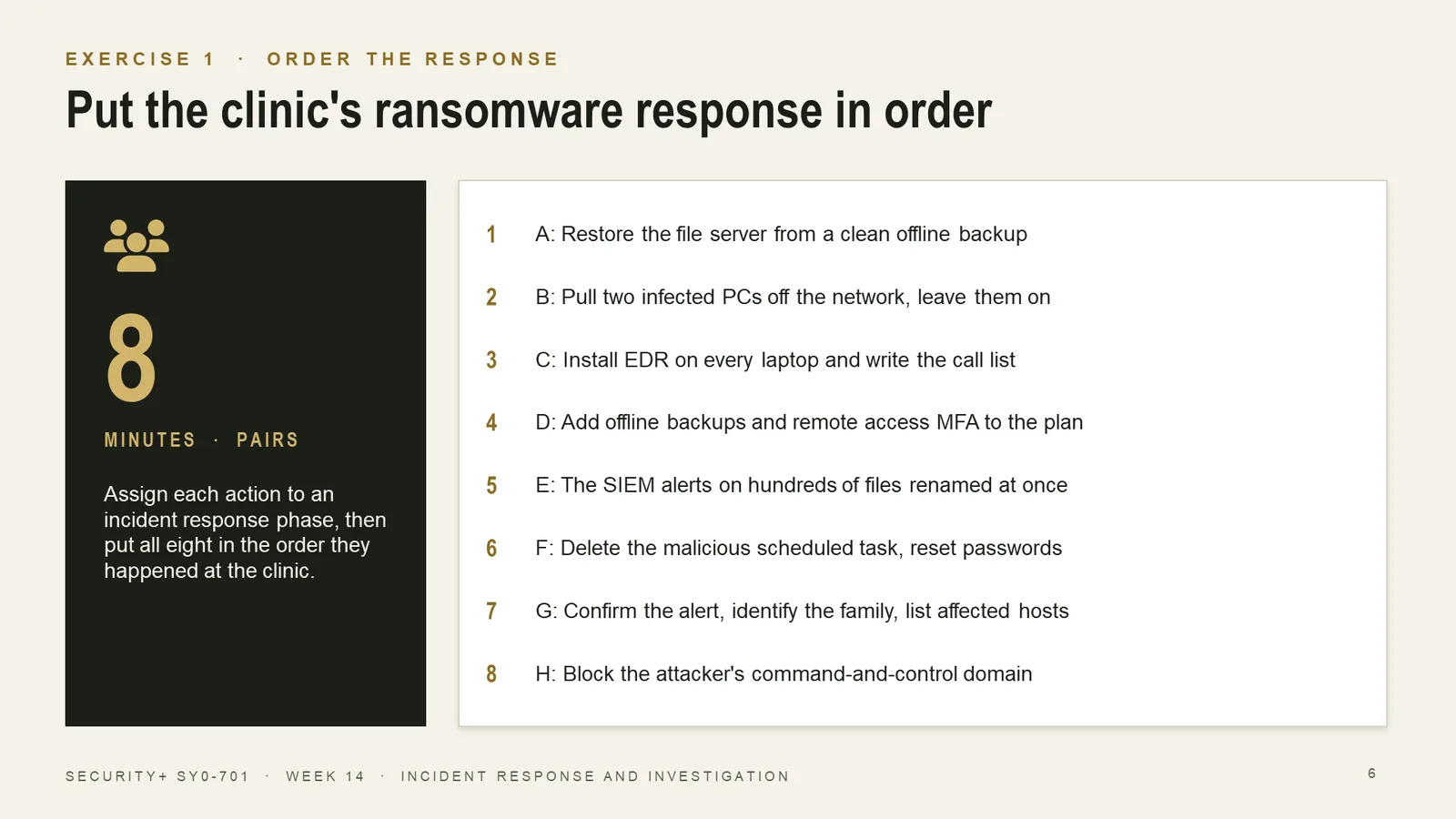
Work in pairs for eight minutes. Lakeside Family Clinic has just lived through a ransomware attack. Each action below happened at some point. Assign each one to an incident response phase, then put all eight in the order they happened.
| Action | |
|---|---|
| A | Restore the file server from the last clean offline backup and watch it for a week |
| B | Pull the two infected front desk PCs off the network, leaving them powered on |
| C | Install EDR on every laptop and write the after-hours call list |
| D | Add an offline backup copy and MFA for remote access to the plan and the budget |
| E | The SIEM alerts on hundreds of files renamed with a new extension in two minutes |
| F | Delete the malicious scheduled task and reset every password the attacker could have seen |
| G | Confirm the alert is real, identify the ransomware family, and list the affected hosts |
| H | Block the attacker's command-and-control domain at the firewall |
Write your answers on paper or in the handout before you open the reveal.
Order: C, E, G, B, H, F, A, D. B and H can swap, since both are containment.
| Action | Phase | Why |
|---|---|---|
| C | Preparation | Tools and contacts set up before any incident |
| E | Detection | The first sign that something is wrong |
| G | Analysis | Confirms the incident, its type, and its scope |
| B | Containment | Stops the spread; leaving the PCs on preserves memory |
| H | Containment | Cuts the attacker's remote control of infected hosts |
| F | Eradication | Removes persistence and the credentials the attacker holds |
| A | Recovery | Restores operations, then monitors for the attacker's return |
| D | Lessons learned | Changes the plan and controls after the incident |
Common mistakes.
8 min
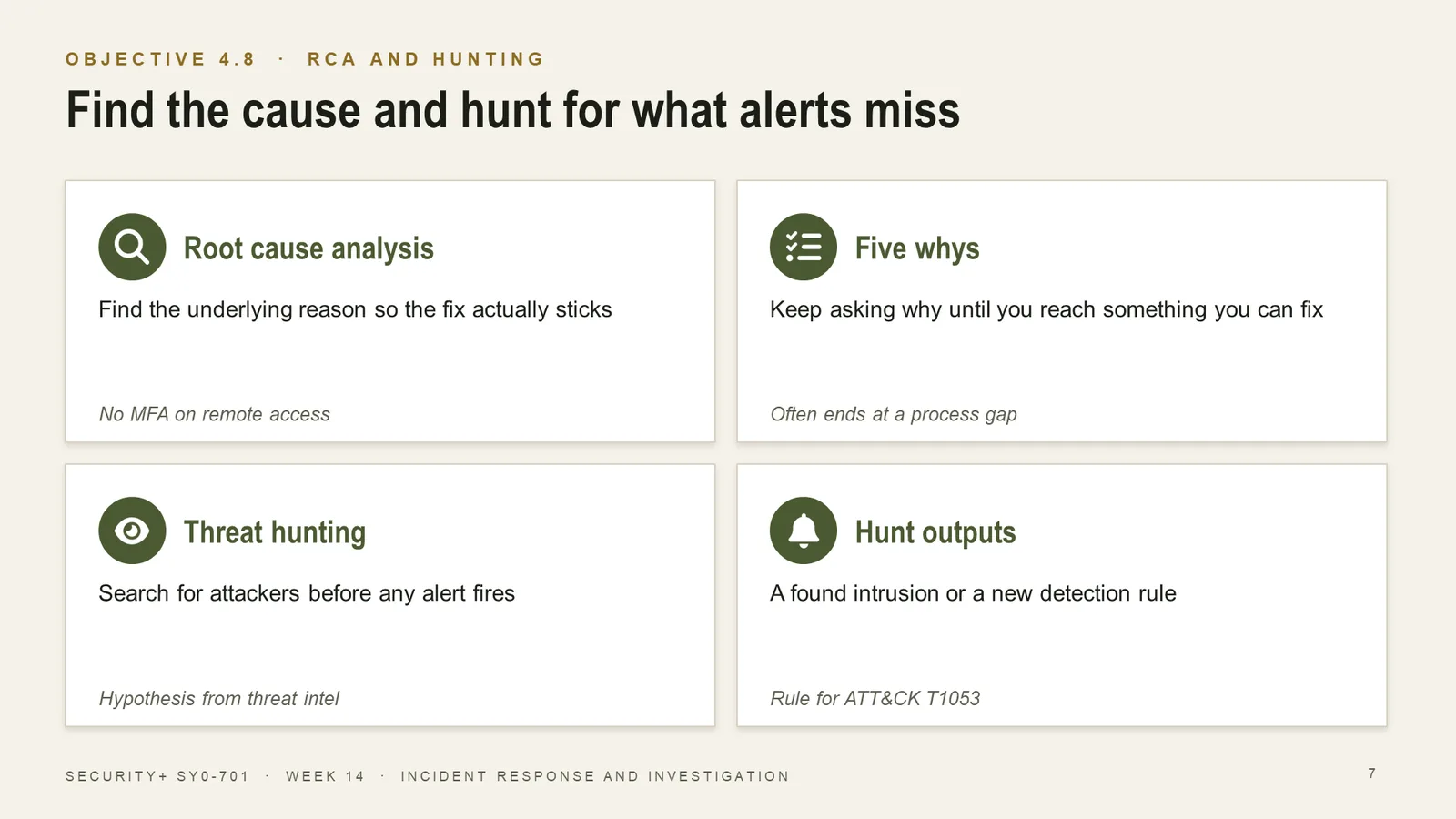
Root cause analysis (RCA) finds the underlying reason an incident happened, not just the symptom. Ransomware on the file server is the symptom. The root cause might be a shared admin password reused on a remote access account with no MFA. Fixing only the symptom by removing the ransomware leaves the door open for the next attacker.
A simple RCA method is the five whys: keep asking why until you reach something you can fix.
The root cause is a process gap, so the fix needs both a control (MFA) and an owner.
Threat hunting is proactive. Instead of waiting for an alert, a hunter starts with a hypothesis based on threat intelligence, such as "attackers targeting clinics use remote desktop and scheduled tasks for persistence," and searches logs and endpoint data for evidence. Hunting assumes a compromise may already exist and that the tools missed it. Good inputs are threat feeds, ISAC advisories, and MITRE ATT&CK techniques. Good outputs are either a found intrusion, which becomes an incident, or a new detection rule so the tools catch it next time.
Tip
Alert-driven investigation is reactive. Threat hunting begins without an alert. If a question says an analyst searched for signs of an attacker "although no alerts had fired," the answer is threat hunting.
9 min
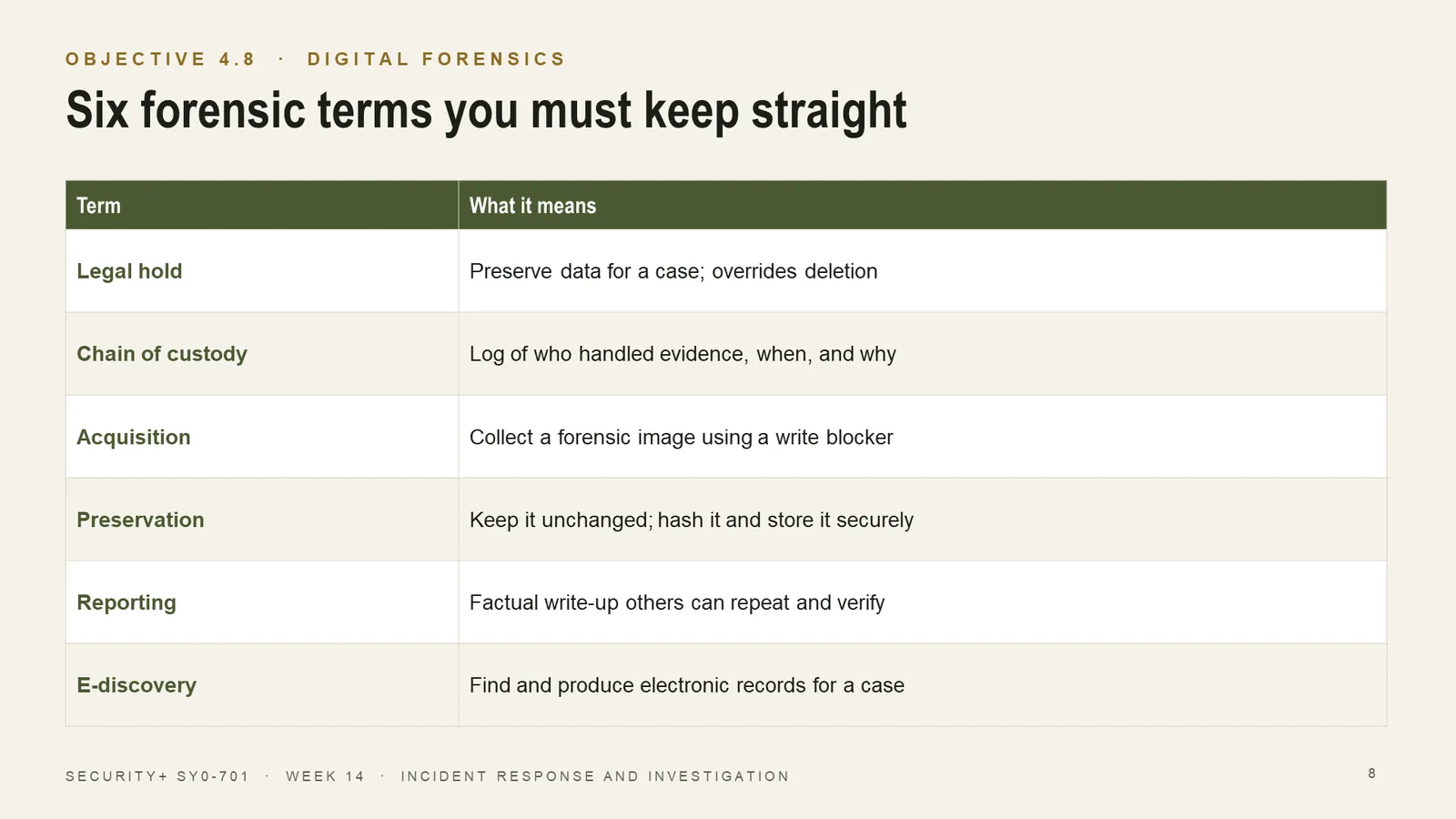
Digital forensics is collecting and analyzing digital evidence in a way that holds up to scrutiny, whether in court, in an HR case, or in front of a regulator. Six terms from objective 4.8 come up on the exam.
Watch out
Do not confuse legal hold with chain of custody. A legal hold stops data from being deleted. Chain of custody documents who handled a specific piece of evidence.
6 min
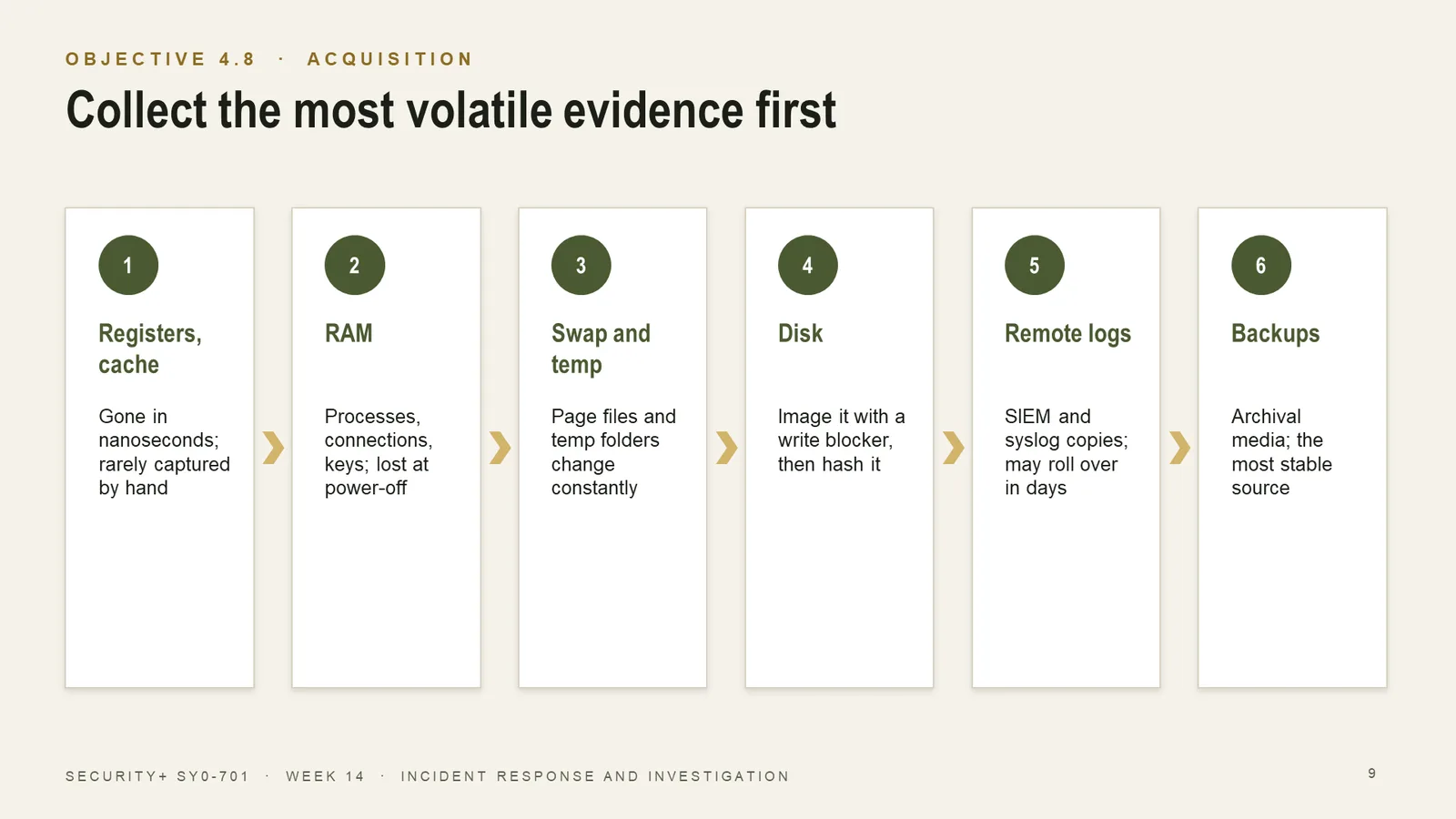
Evidence disappears at different speeds. The order of volatility says to collect the most volatile data first. RFC 3227 gives the classic list:
On a running Windows laptop, a responder captures RAM with a memory acquisition tool, then images the disk. Memory can hold encryption keys, the attacker's command history, malicious code that never touched the disk, and the list of active connections. Power the machine off first and all of that is gone.
A few acquisition habits:
Tip
If an exam question asks what to collect first, pick the most volatile item in the list. RAM beats disk, and disk beats backups.
9 min
Objective 4.9 asks you to pick the right data source for an investigation question. Start with logs.
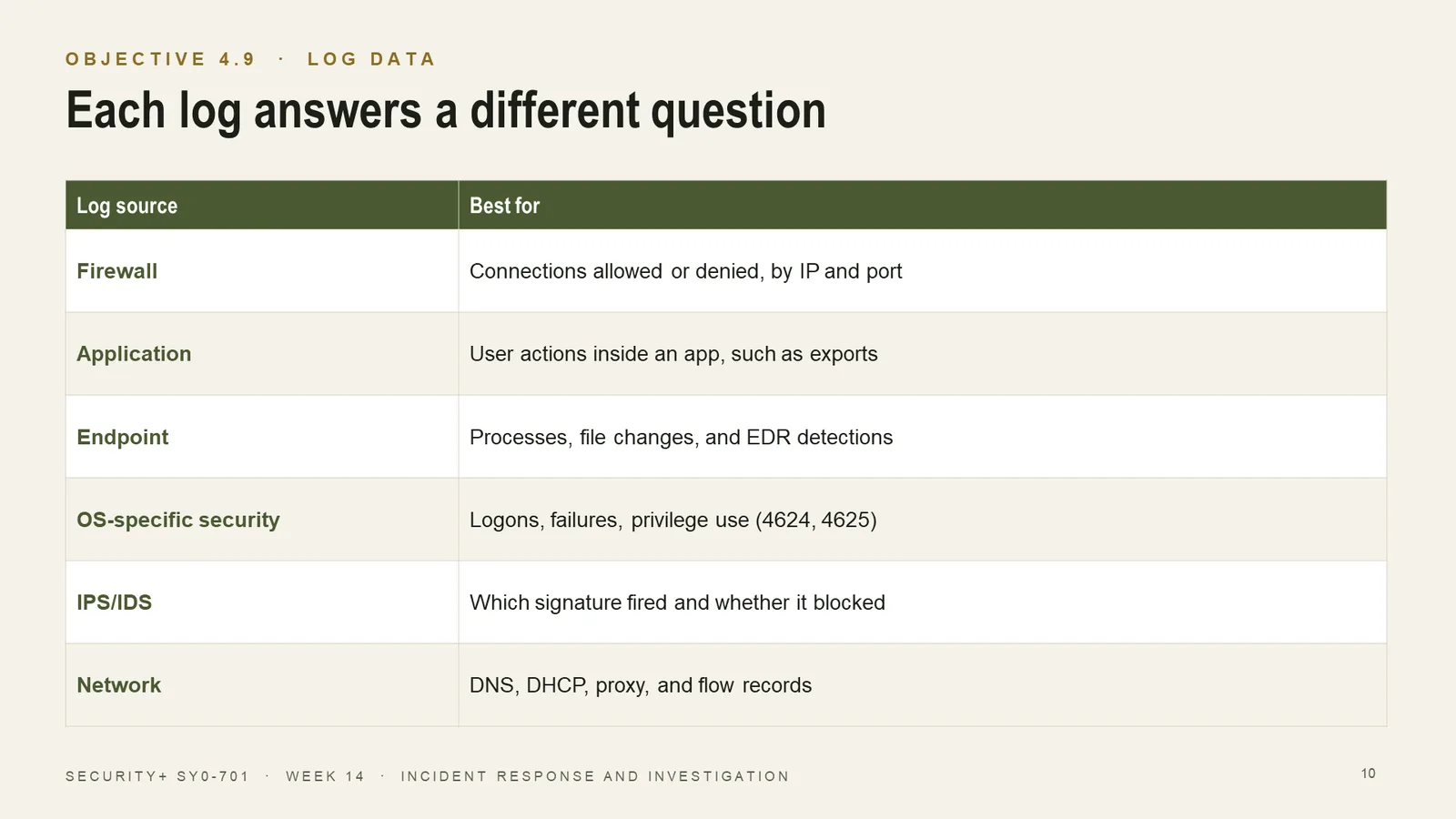
| Log | What it records | Answers questions like |
|---|---|---|
| Firewall | Allowed and denied connections: source and destination IP, port, protocol, action, time | Did host X talk to that IP? Was it blocked? |
| Application | Events inside an app: logins, record views, exports, errors | Who exported the patient list from the EHR? |
| Endpoint | Host activity from EDR or antivirus agents: processes, file changes, detections | What launched PowerShell on this laptop? |
| OS-specific security | The operating system's own audit trail: the Windows Security event log, Linux auth.log or journald | Who logged on, when, and which logons failed? |
| IPS/IDS | Signature or anomaly matches, the rule that fired, and the action taken | Was the exploit attempt detected or blocked? |
| Network | Router, switch, DNS, DHCP, proxy, and flow records such as NetFlow | Which laptop had that IP at 2 a.m.? How much data left? |
Two Windows event IDs are worth knowing: 4624 is a successful logon and 4625 is a failed logon in the Security log. A burst of 4625 events followed by a 4624 for the same account is a classic sign of password guessing that worked.
The key habit is correlation. No single log tells the whole story. The firewall shows a connection to a strange IP, DHCP logs tie the inside IP to a laptop, endpoint logs show which process made the connection, and the OS log shows who was logged on. A SIEM does this at scale, but only if clocks are synchronized with NTP and the logs are actually collected.
Watch out
Missing logs are an indicator too. Attackers clear the Windows Security log to hide their tracks, and that action itself records event 1102, "the audit log was cleared."
6 min
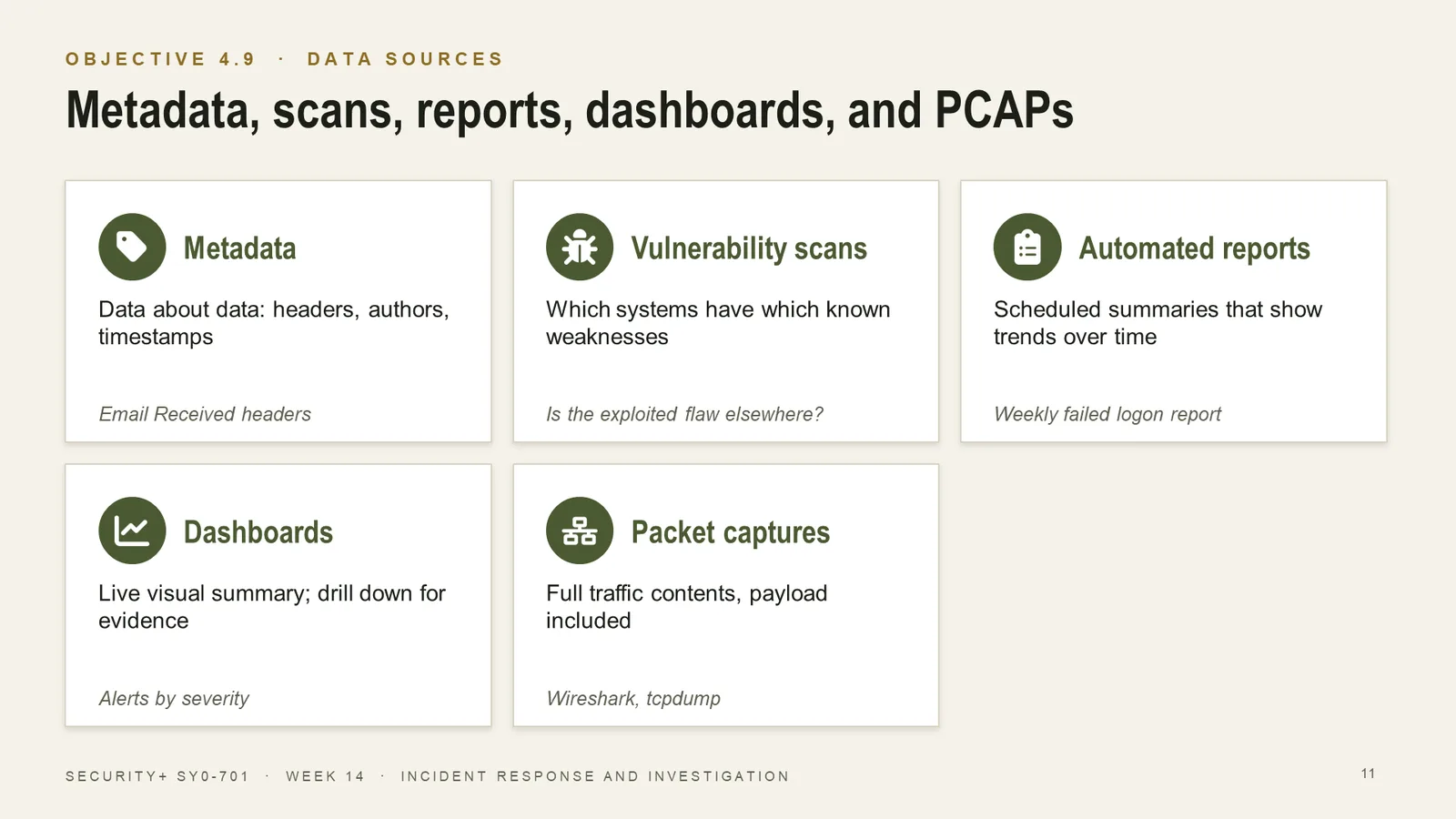
Logs are not the only evidence. Objective 4.9 lists metadata under log data and adds four more data sources.
Tip
Flow data such as NetFlow tells you who talked to whom, when, and how much. A packet capture tells you what they said. If the question needs the actual content, choose the packet capture.
9 min
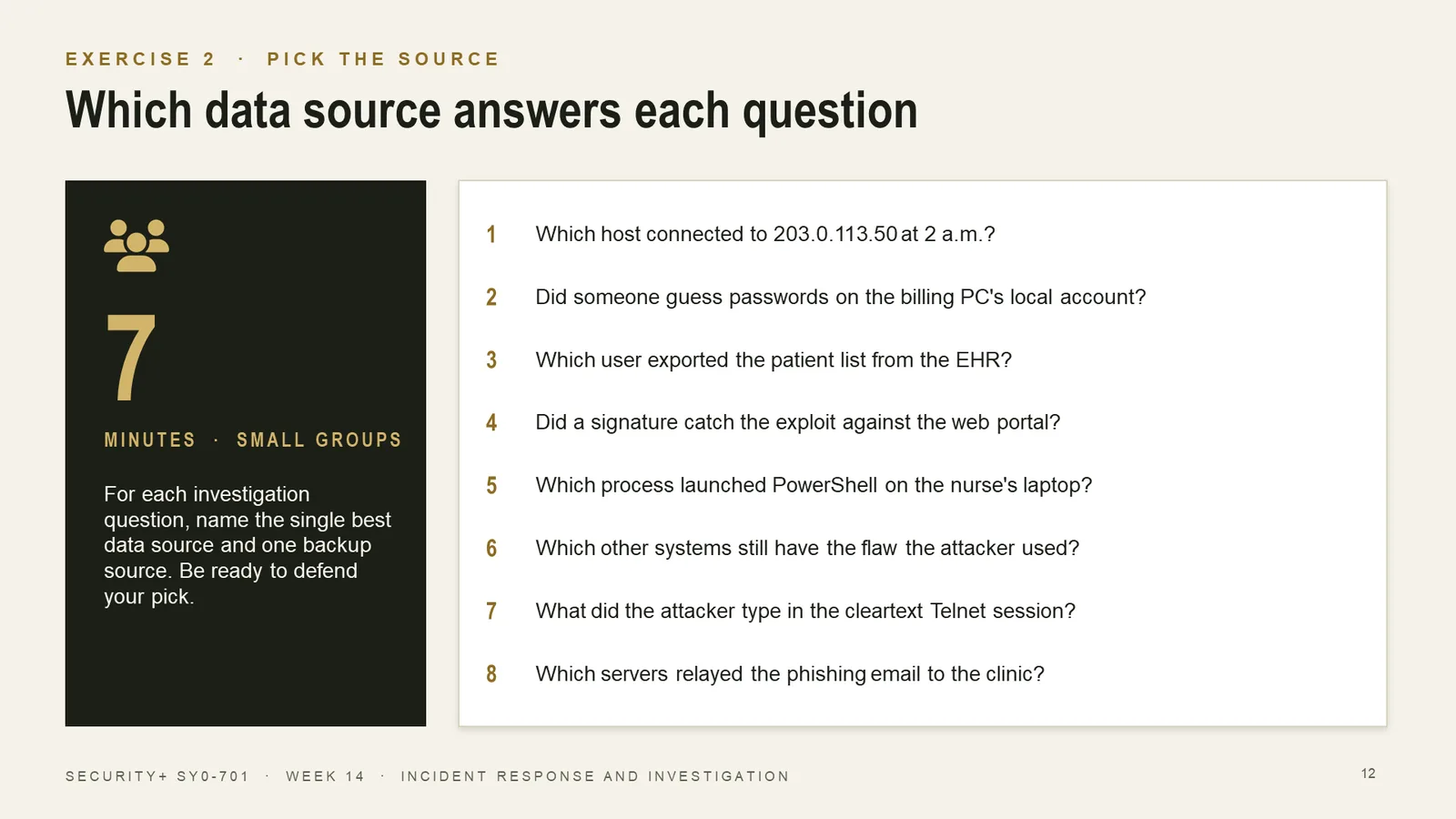
Work in small groups for seven minutes. Lakeside Family Clinic is investigating a suspected intrusion. For each question, name the single best data source and one backup source, and be ready to say why the other sources fall short.
Choose from: firewall, application, endpoint, OS-specific security, IPS/IDS, and network logs; metadata; vulnerability scans; automated reports; dashboards; and packet captures.
| # | Best source | Backup source | Why |
|---|---|---|---|
| 1 | Firewall logs | Network logs (flow and DHCP) | The firewall records each connection by IP, port, and time; DHCP ties the inside IP to a device |
| 2 | OS-specific security logs | Endpoint logs | The Windows Security log shows a run of 4625 failures, and a 4624 if a guess worked |
| 3 | Application logs | Automated reports from the EHR | Only the EHR knows which user ran an export; the firewall sees only encrypted traffic |
| 4 | IPS/IDS logs | Application logs from the web server | The IPS records which signature fired and whether it blocked |
| 5 | Endpoint logs | OS-specific security logs (event 4688, process creation) | EDR records the parent and child process, command line, and user |
| 6 | Vulnerability scans | Automated reports | A fresh, authenticated scan lists every host that still has the CVE |
| 7 | Packet capture | None gives the content | Only full packets hold the payload; flow and firewall logs show that a session happened, not what was typed |
| 8 | Metadata (email headers) | Application logs from the email gateway | Received headers list each relay; SPF, DKIM, and DMARC results show whether the sender was spoofed |
Points to notice.
2 min
Incident response is a cycle, not a checklist you run once. Preparation sets you up, detection and analysis find and size the problem, containment stops the spread, eradication removes the cause, recovery restores service, and lessons learned feeds the next round of preparation.
Around that cycle sit the practices that make it work: training so people know their roles, tabletops and simulations to test the plan, root cause analysis so the same door does not stay open, and threat hunting to find what the alerts missed. When evidence may end up in front of a court or a regulator, legal hold, chain of custody, careful acquisition in order of volatility, hashing, and clear reporting protect it.
For the exam, practice matching each question to a data source: connections in firewall logs, logons in OS security logs, process activity in endpoint logs, user actions in application logs, signatures in IPS/IDS logs, and content in packet captures.
Next week moves from the response team to the program around it: governance, third-party risk, compliance, audits, and security awareness.
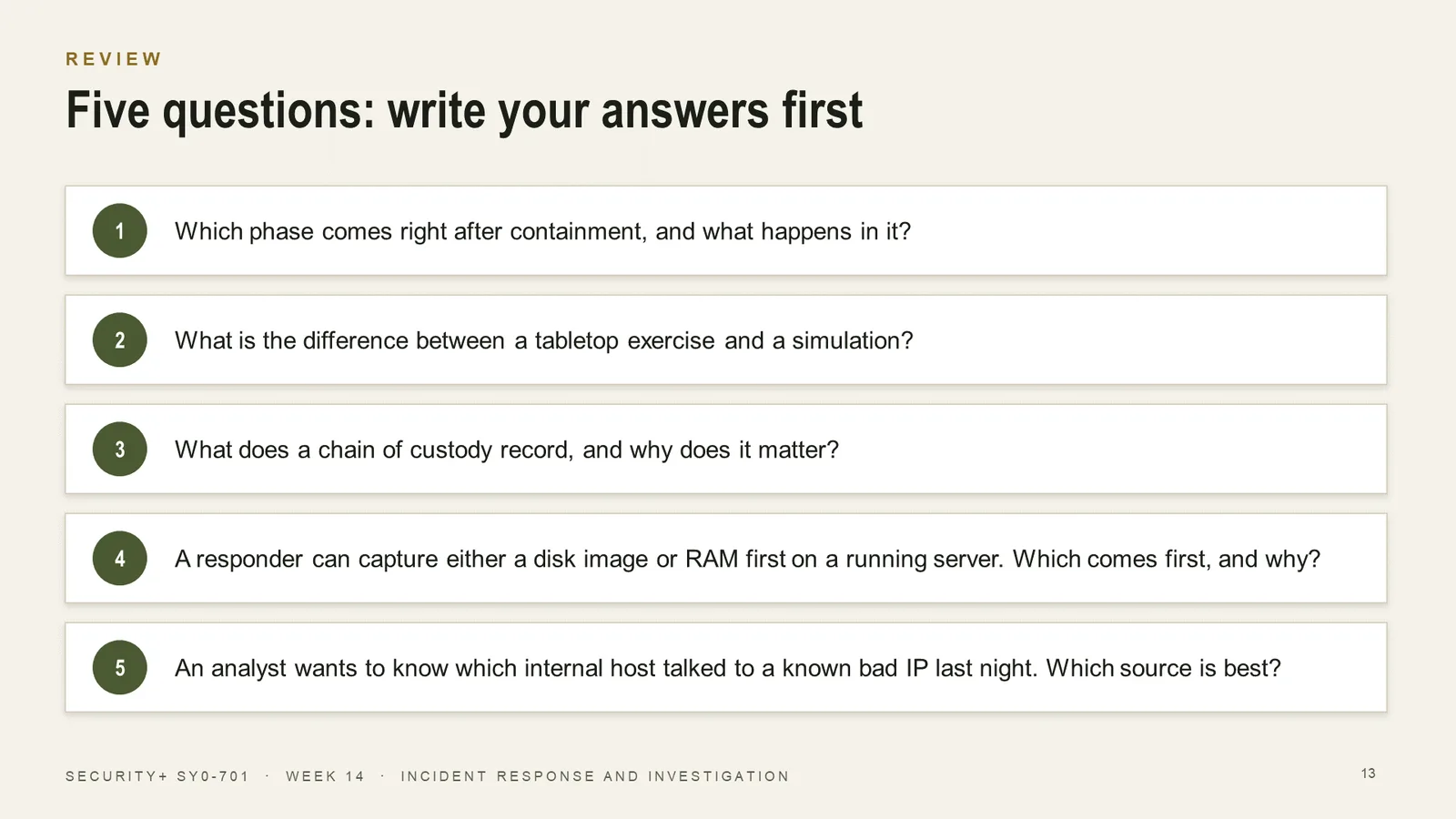
Write your answers to the five review questions first, then open each one to check it.
Eradication. The team removes the cause: malware, persistence such as scheduled tasks, attacker-created accounts, and compromised credentials, and patches the vulnerability, before recovery begins.
A tabletop is a facilitated discussion of a scenario with injects and no systems touched; it tests the plan, roles, and decisions. A simulation acts the scenario out on lab or production systems to test people, tools, and timing.
Who handled each piece of evidence, when, where, and why, from collection to court. A gap lets the other side argue the evidence was altered, which can make it inadmissible.
RAM. It is more volatile and is lost at power-off, and the order of volatility says to collect the most volatile data first.
Firewall logs, or network flow logs, which record the source, destination, port, action, and time of each connection. DHCP logs then tie the inside IP to a device.
60 min
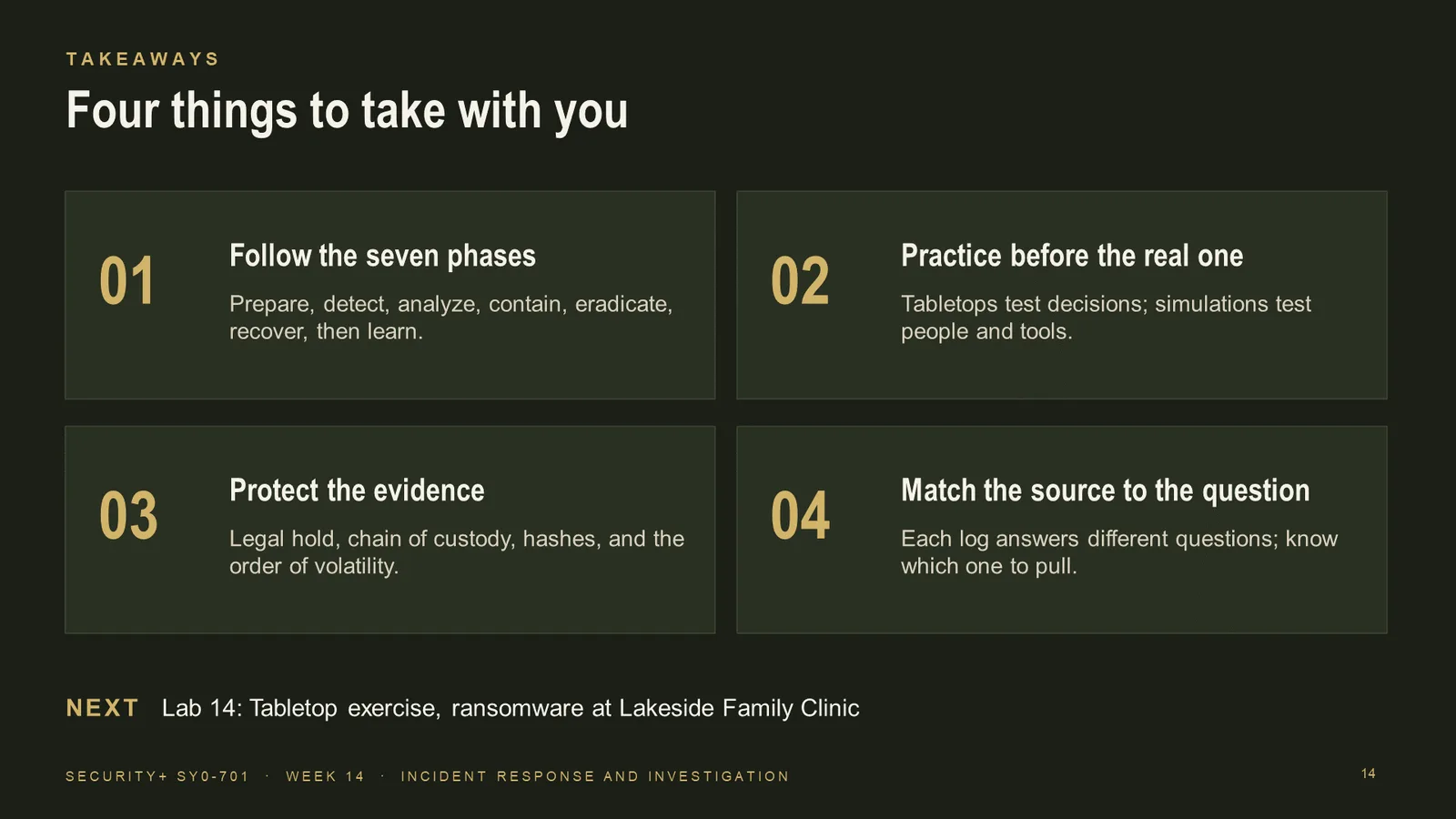
01 Follow the seven phases
Prepare, detect, analyze, contain, eradicate, recover, then learn.
02 Practice before the real one
Tabletops test decisions; simulations test people and tools.
03 Protect the evidence
Legal hold, chain of custody, hashes, and the order of volatility.
04 Match the source to the question
Each log answers different questions; know which one to pull.
Work in groups of four to six with your project notes on Lakeside Family Clinic, a timer, and a printed copy of the scenario and the four injects below. This is a discussion exercise: no computers or tools are needed, and no one touches a real system.
Lab steps · 0 of 8 complete (0%)
A two-page after-action report: the timeline of decisions from the scribe's notes, who filled each role, the evidence you would preserve and in what order, your five whys, and the five lessons learned actions with owners and dates. This report feeds your final project.