
Loading
Warhawk Division is a gaming community. This is a unit document, not a government or military publication.Warhawk Division is an independent gaming community, for entertainment purposes only. It is not affiliated with, sponsored by, or endorsed by Bohemia Interactive, the United States Department of Defense, or any military organization. Arma Reforger is a trademark of its respective owner. Printed from warhawkdivision.com.
Week 11 content
0 of 13 done
Slide 1 of 14
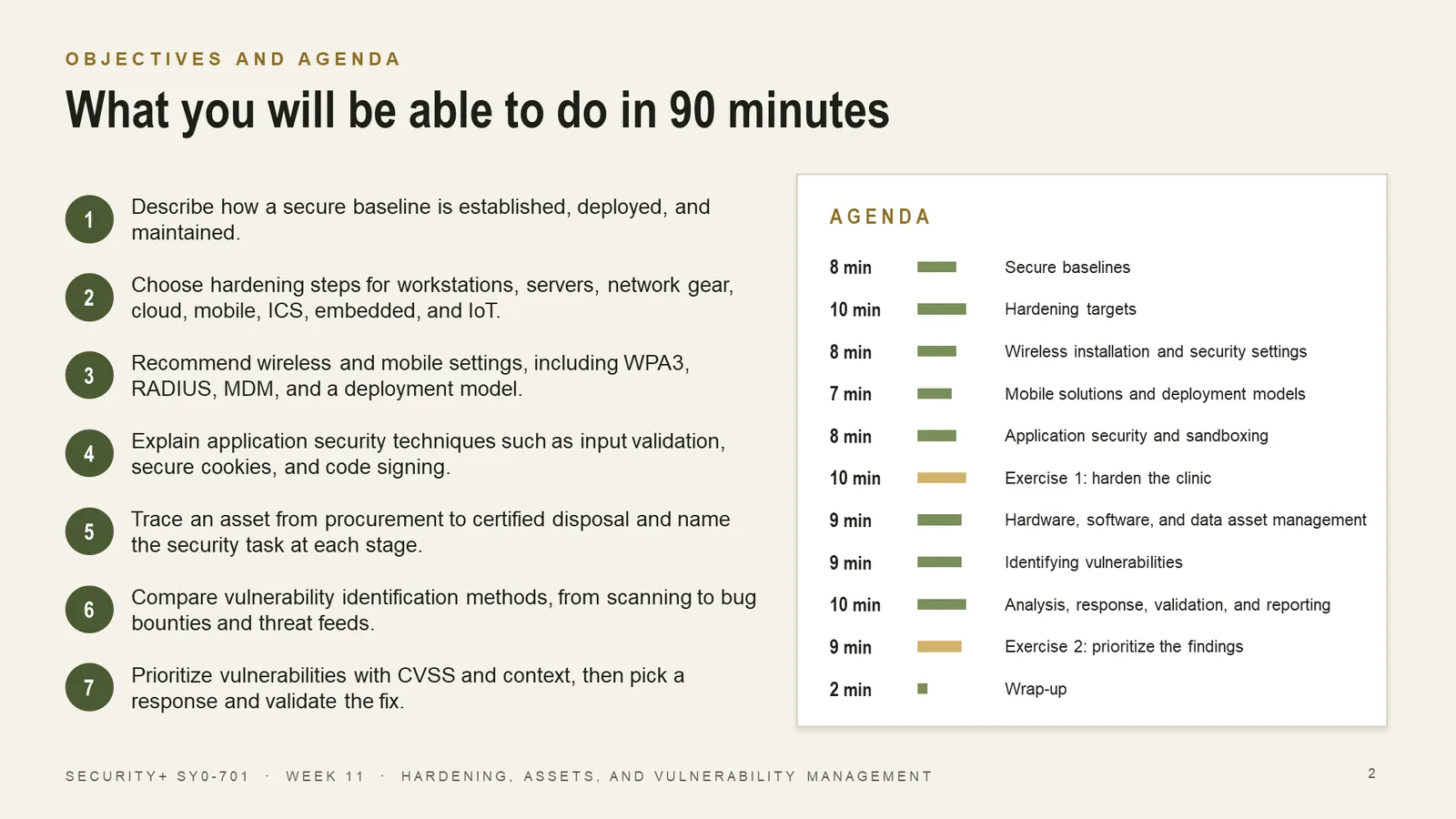
Exam objectives: 4.1 Given a scenario, apply common security techniques to computing resources. 4.2 Explain the security implications of proper hardware, software, and data asset management. 4.3 Explain various activities associated with vulnerability management.
8 min
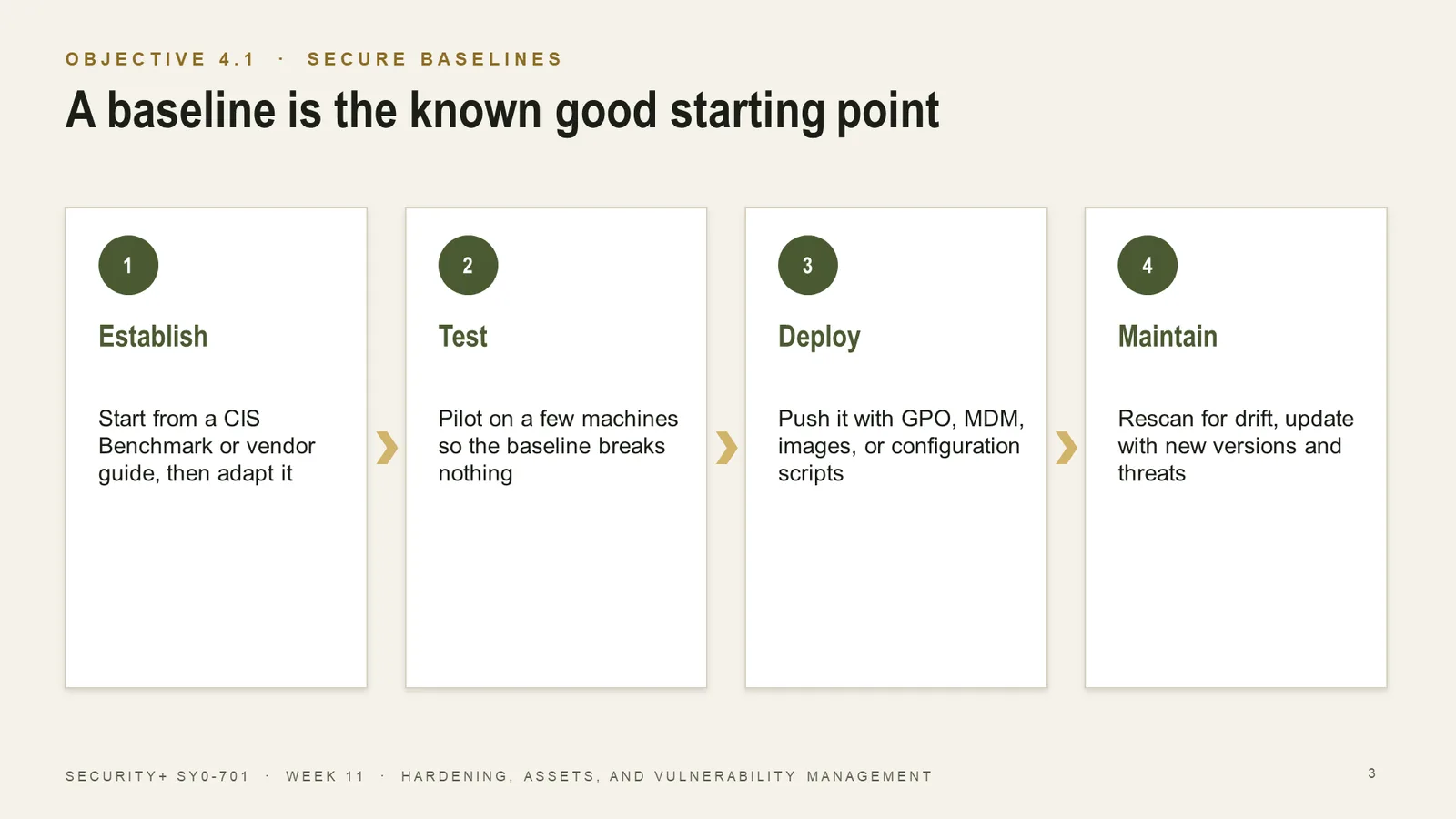
A secure baseline is a documented set of configuration settings that every system of a given type must meet. It is the known good starting point: which services run, which ports are open, which accounts exist, and how logging and updates are set. Security+ describes its life in three stages.
Hardening is the act of reducing a system's attack surface: removing what is not needed, changing defaults, and turning on protections. The baseline is where hardening decisions are written down, so they survive staff turnover and get applied the same way on the hundredth machine as on the first.
Tip
A question about making many systems consistent, or detecting configuration drift, points to a secure baseline. A question about removing unneeded services from one machine points to hardening.
10 min
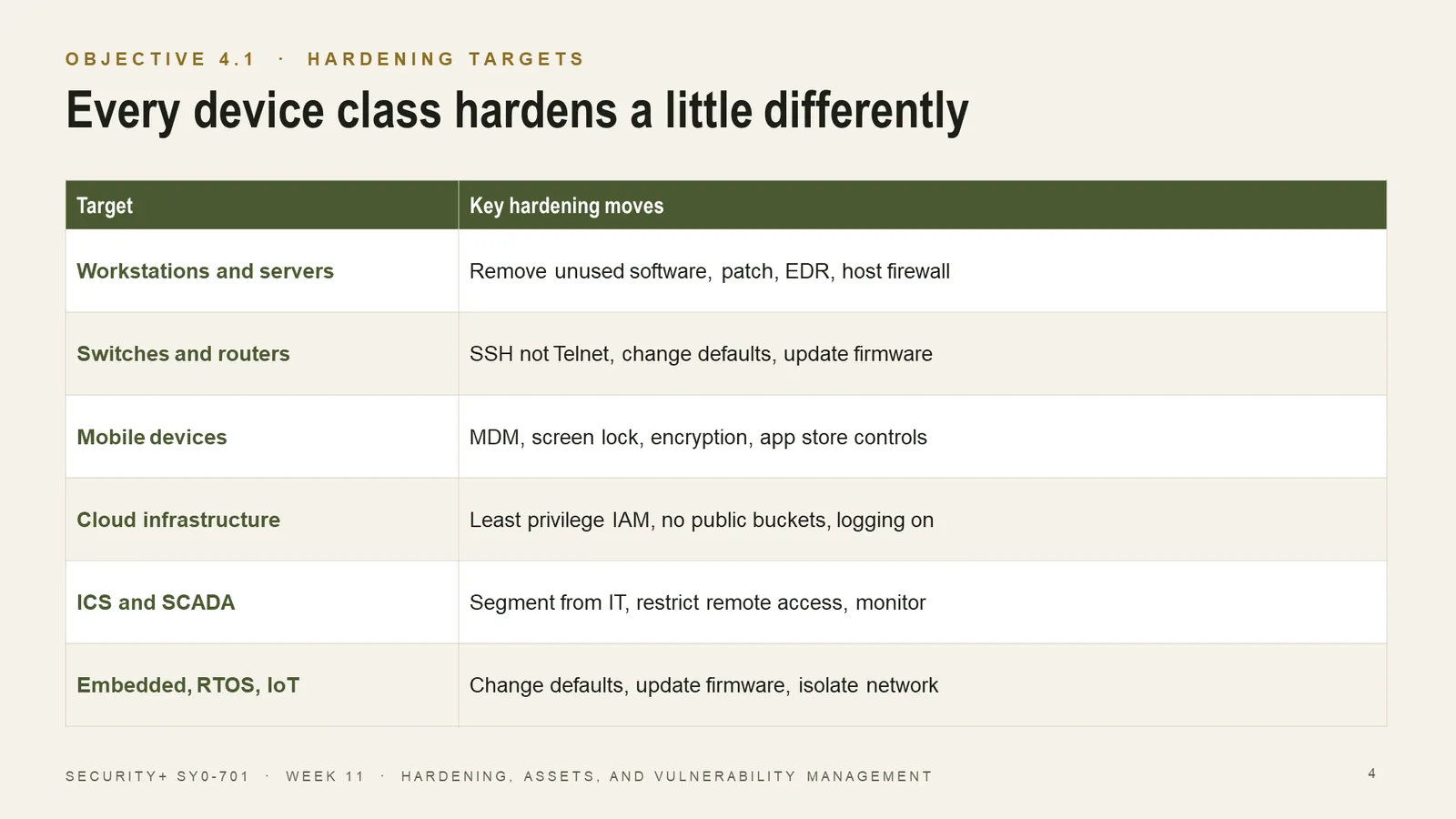
The principles stay the same everywhere: remove what you do not need, change defaults, patch, restrict access, and log. The details change with the device.
Watch out
When a device cannot be patched or hardened directly, the exam answer is usually segmentation plus monitoring, which is a compensating control.
8 min
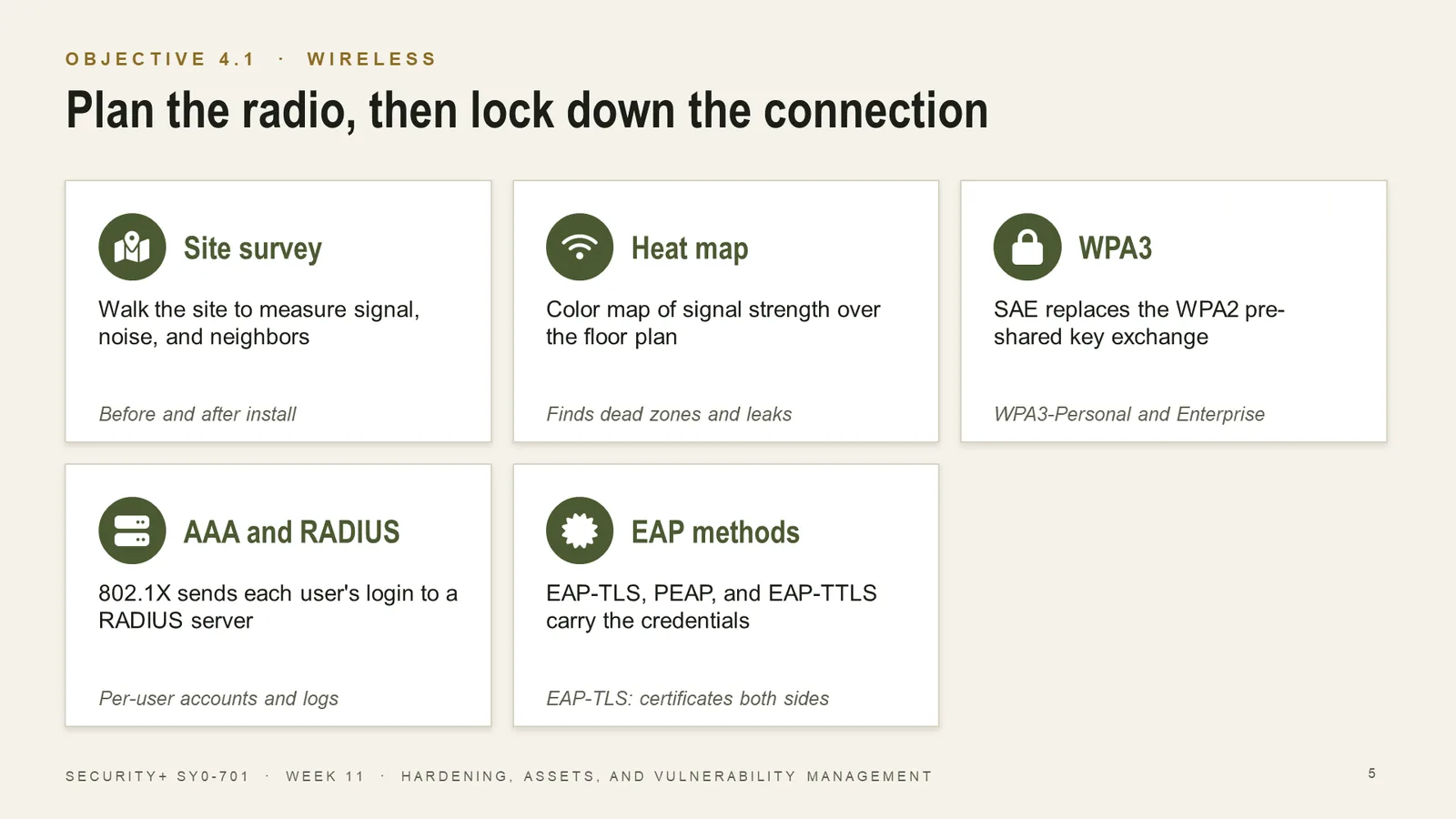
Wireless security starts before the first access point goes on the wall.
Installation considerations. A site survey walks the building with a survey tool to measure signal strength, noise, interference, and neighboring networks. It tells you how many access points you need and where. A heat map shows the result over the floor plan in color: strong coverage, weak spots, and signal that leaks into the parking lot, where an outsider could reach it. Survey before installing and again after, to confirm coverage.
Wireless security settings.
Tip
A shared Wi-Fi password means Personal mode. Individual accounts checked by a RADIUS server mean Enterprise mode.
7 min
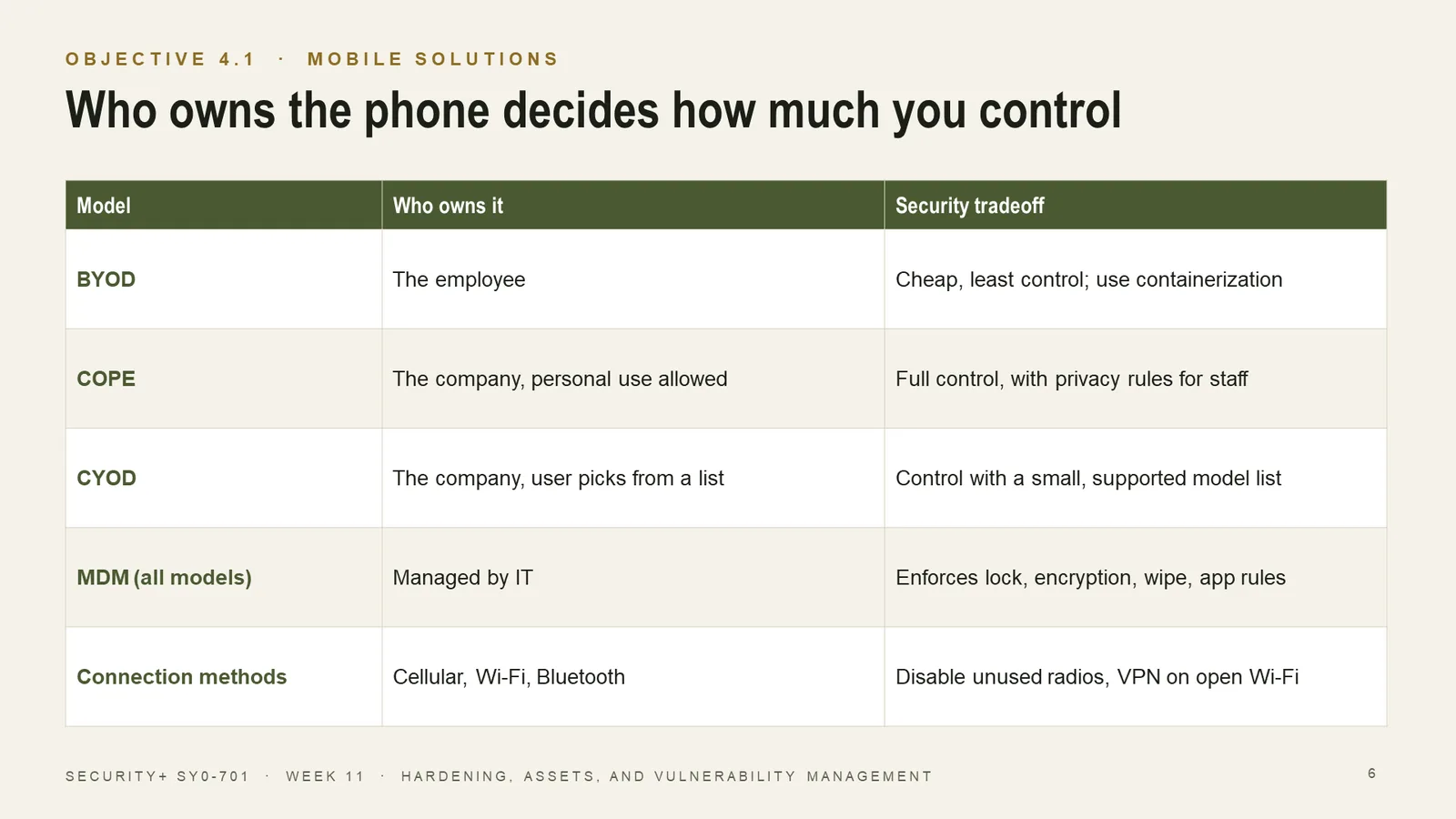
Mobile device management (MDM) is the central console that enrolls phones and tablets and pushes policy to them: screen lock, encryption, minimum OS version, allowed apps, VPN settings, and remote lock or wipe for a lost device. MDM works with every deployment model; what changes is how much you can enforce.
| Model | Who buys it | Control and privacy |
|---|---|---|
| BYOD (bring your own device) | The employee | Least control. Use containerization to separate work data and wipe only the work container. |
| COPE (corporate-owned, personally enabled) | The company | Full control. Personal use is allowed, so set clear privacy rules. |
| CYOD (choose your own device) | The company | The user picks from an approved list, so IT supports a few models it trusts. |
Connection methods each bring their own risks:
A clinic letting doctors read patient messages on personal phones has made a BYOD decision. The minimum is MDM enrollment with a work profile, a required screen lock, and remote wipe of the work data.
8 min
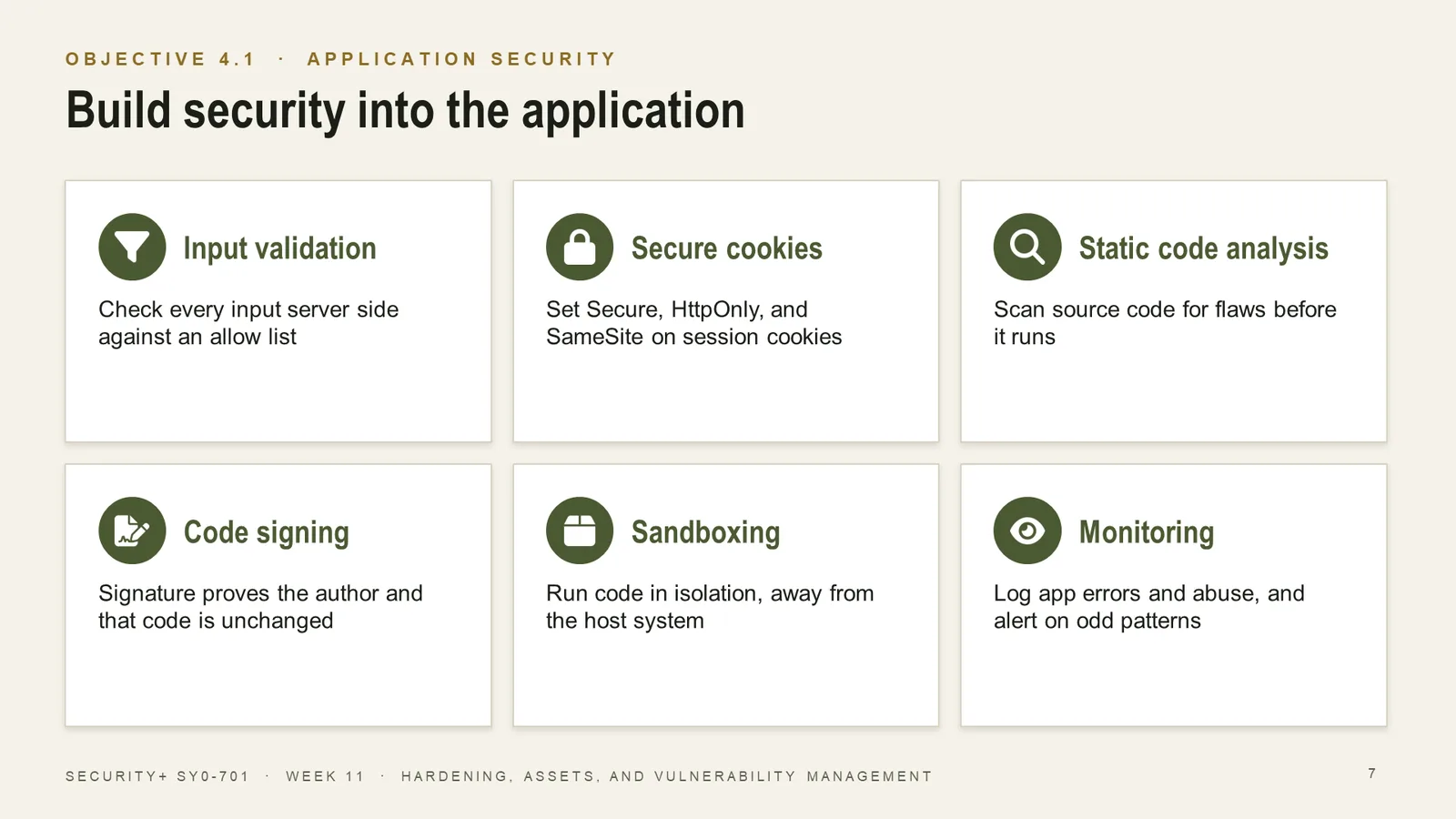
Applications are a large part of the attack surface, and objective 4.1 names several techniques for securing them.
Watch out
A signed program can still be malicious if the signer is malicious or the signing key was stolen. Signing proves origin and integrity, not safety.
10 min
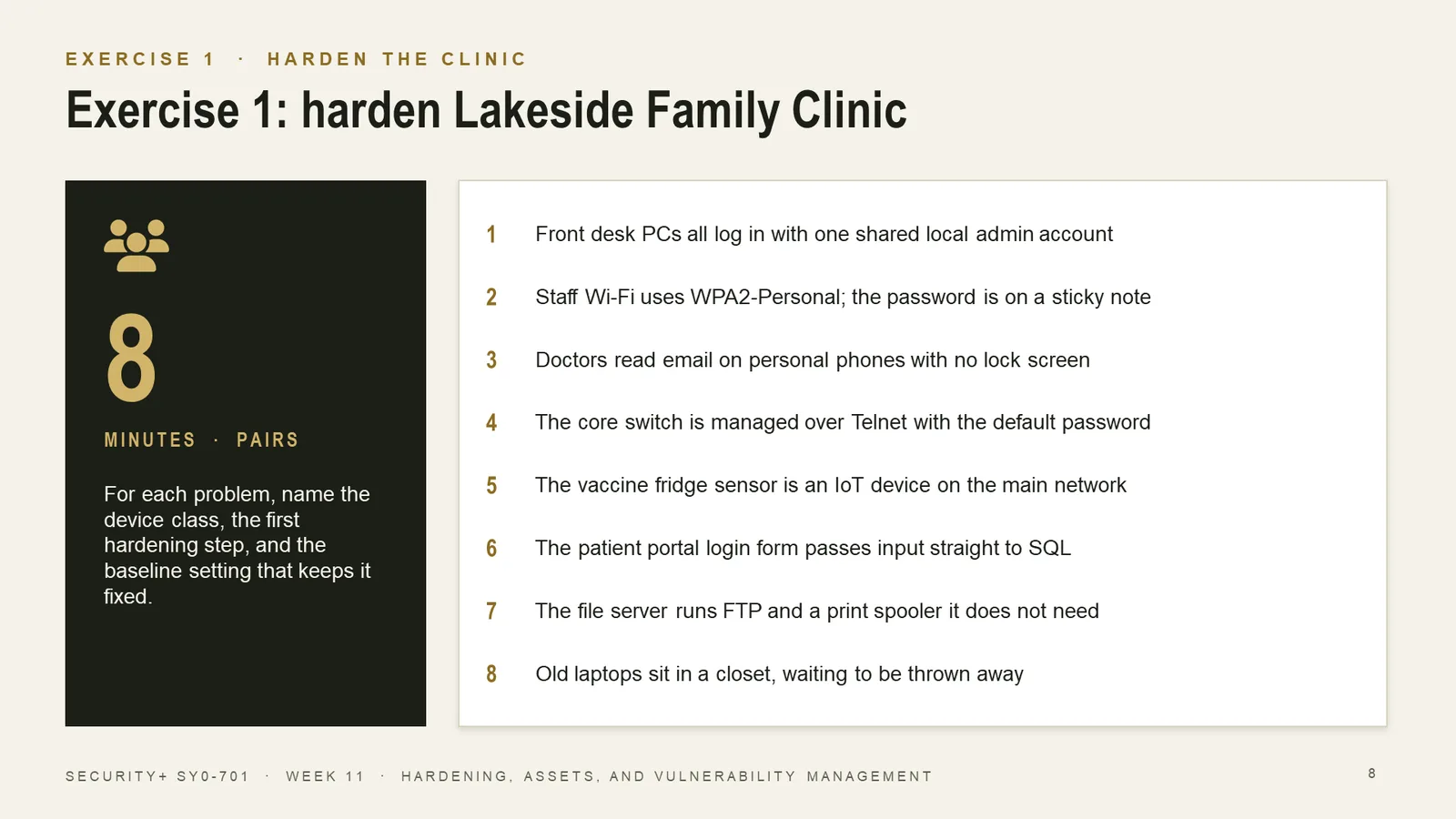
Work with a partner for eight minutes. Lakeside Family Clinic has the problems below. For each one, name the device class, the first hardening step you would take, and the baseline setting that would keep the problem from coming back.
Write your answers before opening the worked answers. Item 8 previews the next topic, so give it your best guess.
9 min
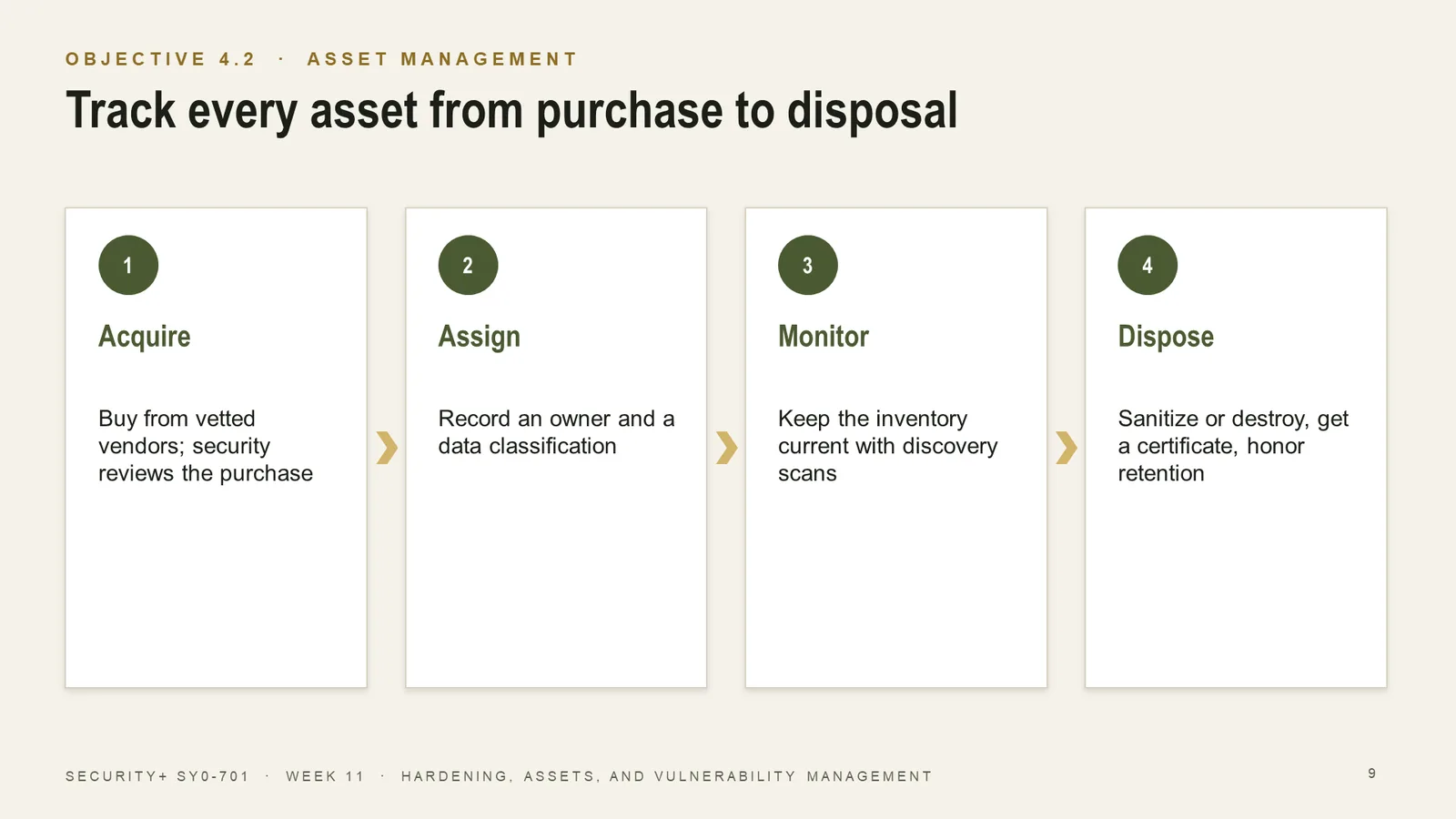
You cannot protect what you do not know you have. Asset management tracks hardware, software, and data through their whole life, and each stage has a security job.
Acquisition and procurement. Buy from vetted vendors through an approved process, so security can review the product before it arrives: does it support MFA, receive updates, and meet the baseline? Shadow IT, gear bought on a personal card, skips this review.
Assignment and accounting.
Monitoring and asset tracking.
Disposal and decommissioning.
Tip
Reuse points to sanitization. No reuse, highest assurance, points to destruction. Proof for an auditor points to certification.
9 min
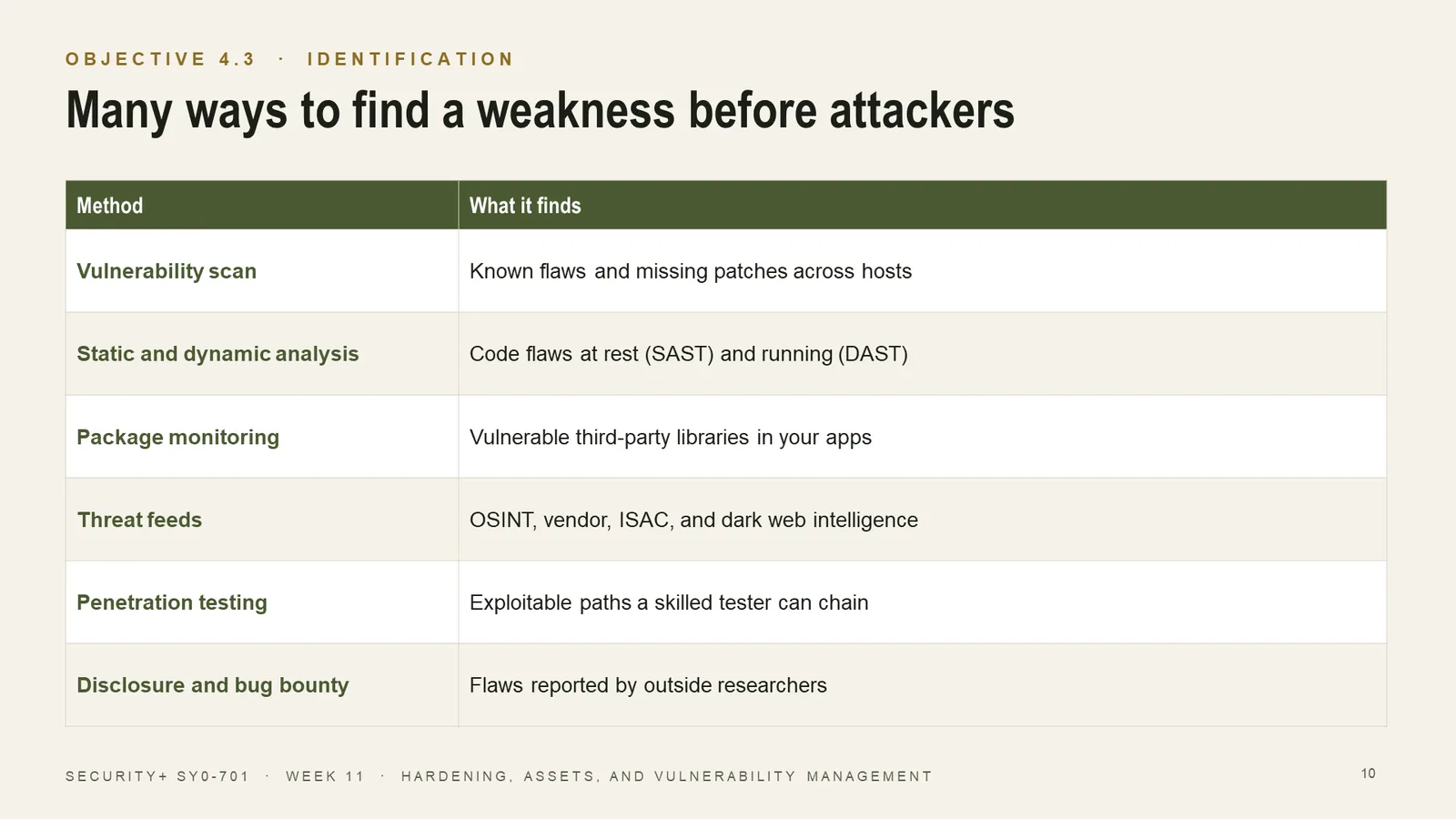
Vulnerability management is the ongoing cycle of finding, ranking, fixing, and checking weaknesses. It starts with identification, and no single method finds everything.
Watch out
A vulnerability scan finds and reports. A penetration test exploits. If the question says the tester gained access, it is a pen test.
10 min
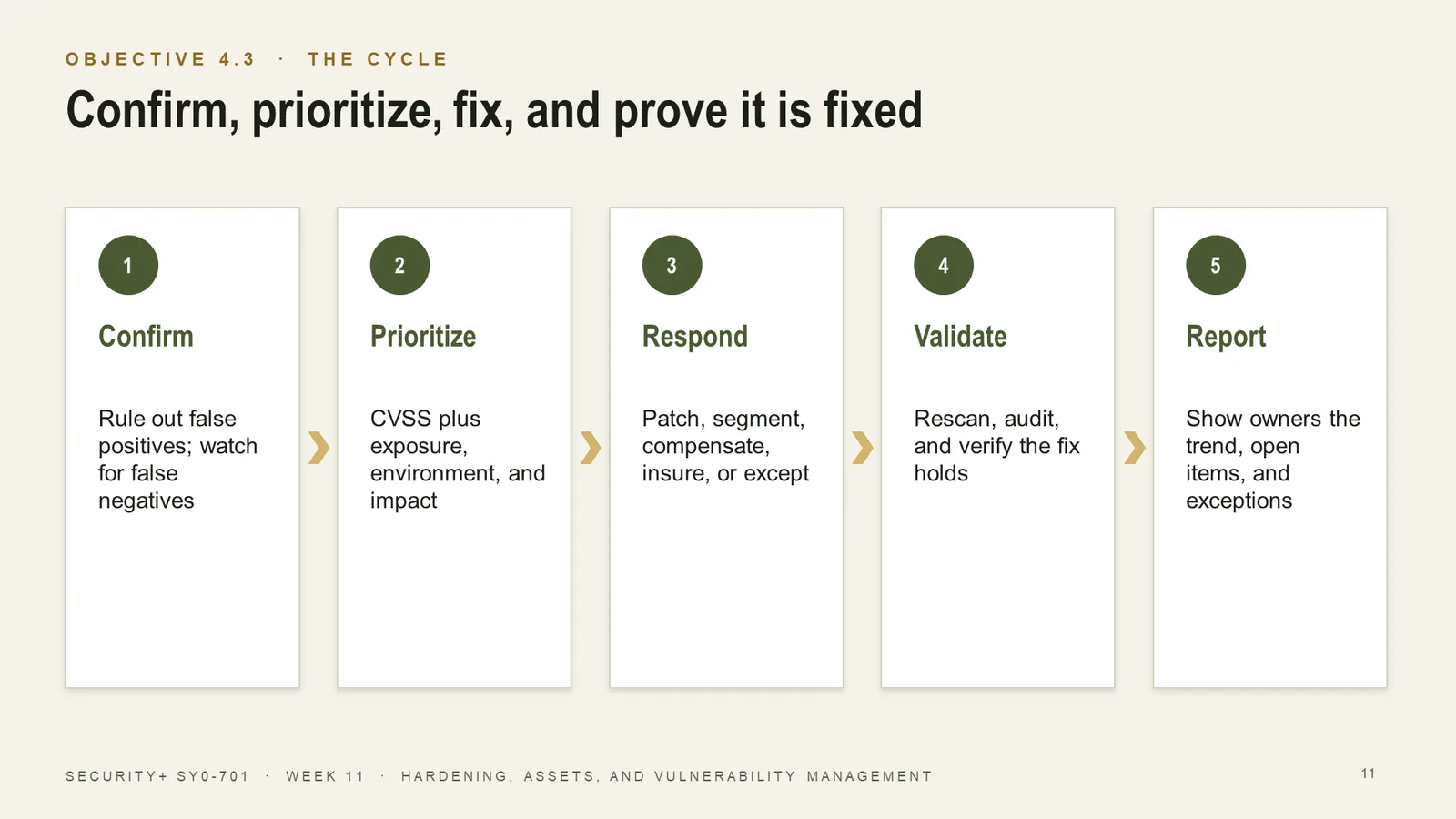
Confirmation. Scanners make mistakes. A false positive reports a flaw that is not there, often because the scanner read a version banner and missed a backported fix. A false negative misses a flaw that is there, which is worse because nobody looks for it. Confirm critical findings before acting.
Prioritization uses several inputs:
Response and remediation. Patching is the default. When it is not possible, use segmentation or other compensating controls. Insurance transfers financial impact. Exceptions and exemptions formally accept the risk, with an owner, a reason, and an expiration date.
Validation of remediation. Rescanning confirms the finding is gone; an audit checks the fix against the standard; verification confirms the system still works and the fix holds.
Reporting shows owners open findings, aging, trends, and exceptions, so leaders can see whether risk is going down.
9 min
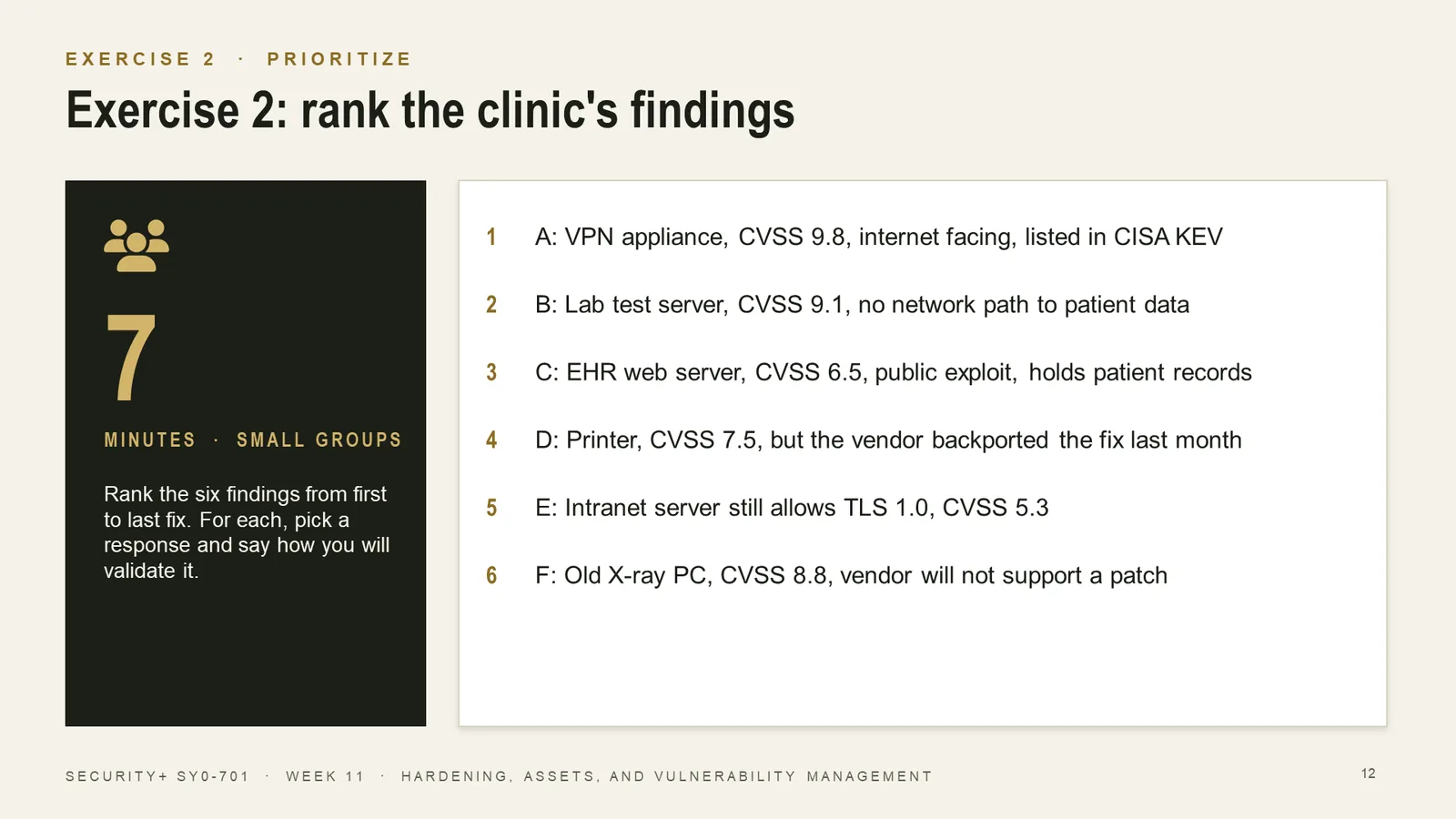
In small groups, take seven minutes. Lakeside Family Clinic's latest scan and a threat feed produced these findings.
| ID | Asset | CVSS | Context |
|---|---|---|---|
| A | VPN appliance | 9.8 | Internet facing, listed in CISA KEV |
| B | Lab test server | 9.1 | No network path to patient data |
| C | EHR web server | 6.5 | Public exploit, holds patient records |
| D | Printer | 7.5 | Vendor backported the fix last month |
| E | Intranet server | 5.3 | Still allows TLS 1.0 |
| F | Old X-ray PC | 8.8 | Vendor will not support a patch |
Use CVSS as a starting point, then adjust for exposure, the data involved, and threat activity. Write your ranking down before you open the answers.
A reasonable ranking is A, C, F, E, B, D.
Some groups put F ahead of C. That is defensible if you argue the X-ray PC is easier for an attacker to reach. What matters is that context, not the base score alone, drove the order.
2 min
Tonight followed one thread. A secure baseline writes down what good looks like, and hardening applies it to each kind of device, from workstations and switches to cloud accounts, ICS controllers, and IoT sensors. Wireless, mobile, and application settings are part of that same baseline. Asset management tells you what the baseline applies to and makes sure old devices leave with their data destroyed and proof on file. Vulnerability management keeps checking: find, confirm, prioritize with CVSS and context, respond, validate, and report.
Work through the five review questions and the ten-question quiz before the lab. Next week we look at the monitoring side of operations: the logs, alerts, and tools that tell you when the controls you set up tonight are being tested.
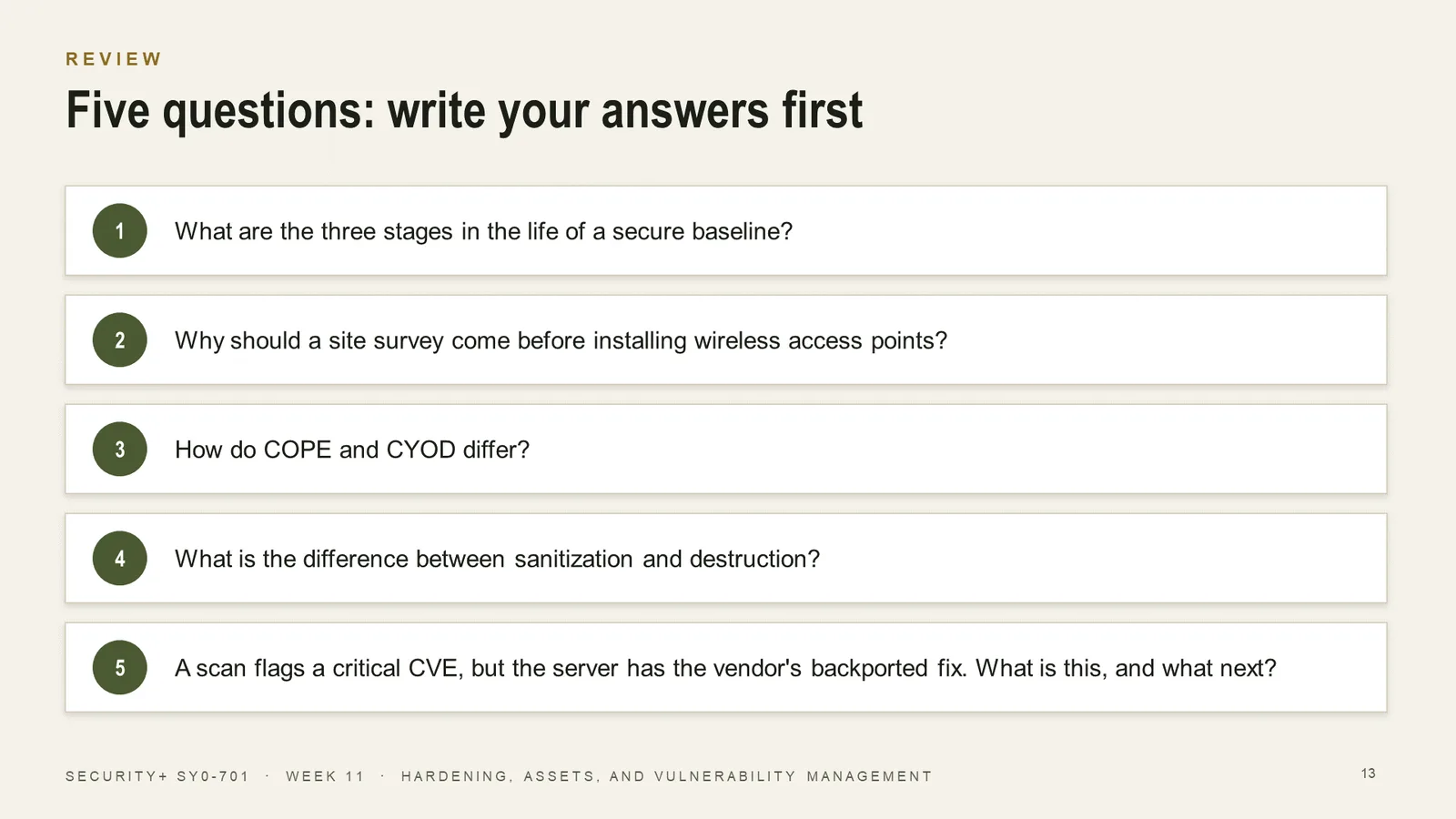
Write your answers to the five review questions first, then open each one to check it.
Establish, deploy, and maintain. Maintaining includes scanning for drift and updating the baseline when versions or threats change.
It measures signal, noise, interference, and neighboring networks, so access points go where coverage is needed and signal does not leak outside the building.
Both are company owned. COPE gives the user a company-chosen device that also allows personal use. CYOD lets the user choose from an approved list of models.
Sanitization removes data so the media can be reused. Destruction physically ruins the media, such as by shredding, so it can never be used again.
A false positive. Confirm the fix is installed, document it, and mark the finding or tune the scanner so it does not keep reappearing.
60 min
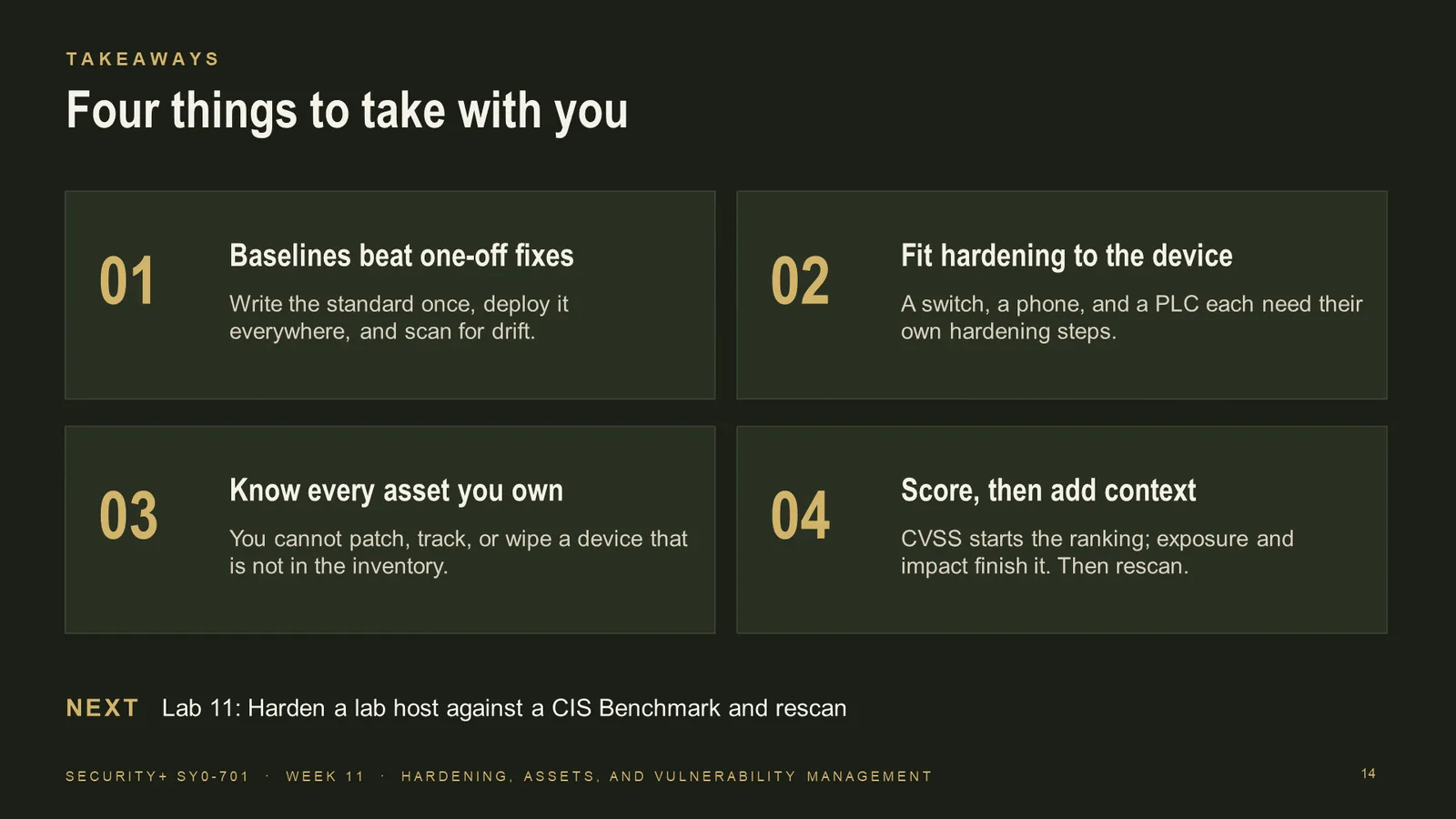
01 Baselines beat one-off fixes
Write the standard once, deploy it everywhere, and scan for drift.
02 Fit hardening to the device
A switch, a phone, and a PLC each need their own hardening steps.
03 Know every asset you own
You cannot patch, track, or wipe a device that is not in the inventory.
04 Score, then add context
CVSS starts the ranking; exposure and impact finish it. Then rescan.
Use the Ubuntu Linux VM from Lab 1 and the free CIS Benchmark PDF for your Ubuntu version from cisecurity.org. Scan only your own lab VMs, never a school or work network.
Lab steps · 0 of 8 complete (0%)
A two-page report with before and after screenshots of Lynis and the scan, a table of your eight recommendations with CIS section numbers and status, and your exception list.