Articles & BlogBy Trapper W. Brown8 min read
For anyone who puts work or personal files in a cloud service and assumes the provider keeps them safe. By the end you will know which parts of that job are the provider's, which are yours, and how to check your side tonight.
When a company's files leak from a cloud service, the first headline usually blames the cloud. The follow-up, a few days later, often tells a different story. The provider's buildings were never entered and its systems were never broken. Someone on the customer's side left a door open.
The cloud providers have a name for the rule behind that story: the shared responsibility model. It is the agreement, written into each provider's documentation, about who secures what. This article assumes you know the three service models, IaaS, PaaS and SaaS. If you do not, read What Is the Cloud, and Whose Computer Is It? first.
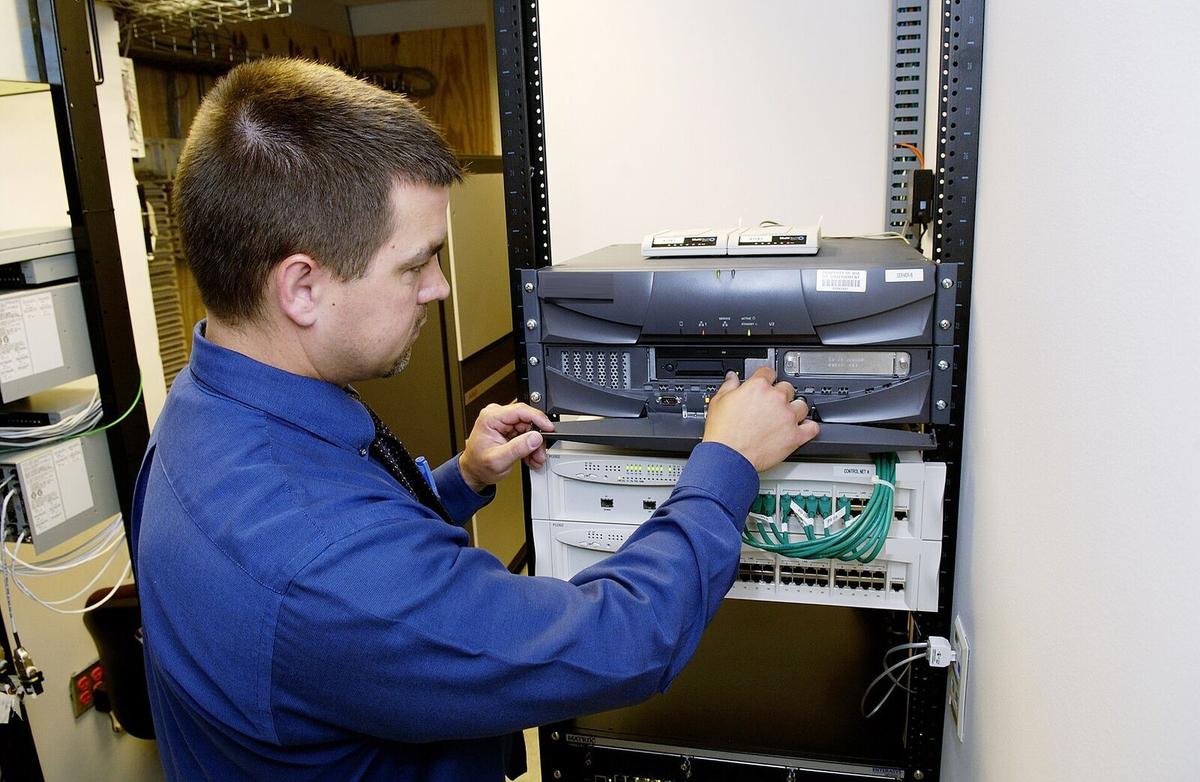 In your own server room, every layer is your job. In the cloud, the provider takes the lower ones. Photo by Bill Branson, National Cancer Institute, public domain, via Wikimedia Commons.
What do the providers themselves say?
All three large providers publish the model, and they agree more than they differ.
Amazon puts it in two small words. AWS is responsible for security "of" the cloud: in its words, "protecting the infrastructure that runs all of the services offered in the AWS Cloud." The customer is responsible for security "in" the cloud, and how much that covers "will be determined by the AWS Cloud services that a customer selects."
Microsoft says it in a sentence worth memorizing: "For all cloud deployment types, you own your data and identities."
Google's wording is close to both. The provider "always remains responsible for the underlying network and infrastructure," and customers "always remain responsible for their access policies and data." Google adds an idea it calls shared fate, meaning the provider should also help you get your side right, with safe starting settings and published guidance, instead of only pointing at the line.
Notice the word that appears in every version: always. Some parts of the job never move to the provider, whatever you buy.
How does the line move between IaaS, PaaS and SaaS?
The more of the stack you rent, the more the provider secures. Microsoft publishes this as a matrix, and the diagram below follows its rows.
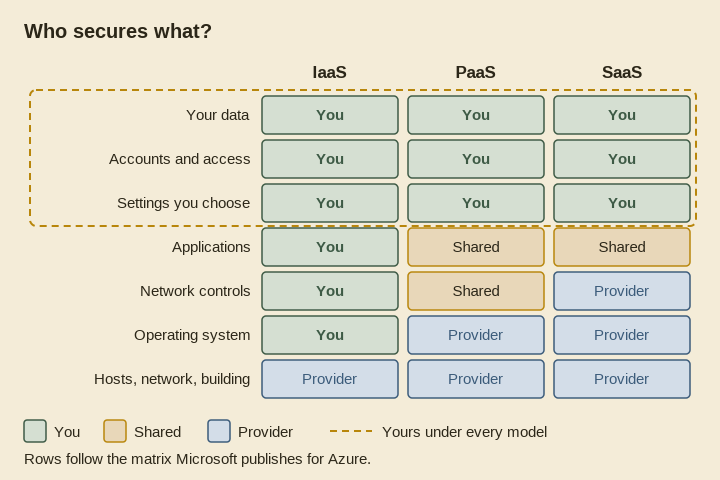 The provider's share grows from left to right. The top three rows never leave you.
Under IaaS you rent a virtual machine and the provider's job stops at the hardware. Amazon says its EC2 service "requires the customer to perform all of the necessary security configuration and management tasks." That means patching the operating system, securing what you install, and setting the firewall rules around the machine.
Under PaaS the provider patches the operating system and runs the platform. You still secure the program you deployed and decide who can reach it.
Under SaaS the provider runs nearly everything. Google's summary is that you remain responsible for access controls and for the data you choose to store.
"Shared" has a precise meaning here. Amazon's example is patching: AWS patches its infrastructure, and the customer patches the guest operating system and applications. Both sides do the same kind of work, each on its own layer. It never means the provider will catch what you miss.
| Task | IaaS | PaaS | SaaS |
|---|---|---|---|
| Guard the building, replace failed disks | Provider | Provider | Provider |
| Patch the operating system | You | Provider | Provider |
| Fix flaws in the application's code | You | You, for the code you deploy | Provider |
| Decide who has an account and what it can do | You | You | You |
| Decide what is shared, and with whom | You | You | You |
What is always on your side?
Three things, and they are the top three rows of the matrix.
Identity. Who has an account, how they prove who they are, and what each account may do. Microsoft's list of what you always keep includes accounts and access management, and it names multifactor authentication (MFA) there. MFA means a second proof beyond the password, such as a code from an app or a hardware key.
Data. What you store, how sensitive it is, whether it is encrypted and who it is shared with. The provider keeps the disk running. It has no way to know that the spreadsheet on it holds patient records.
Configuration. Every switch the service gives you. A cloud service is a box of settings, and the provider secures the box while you choose the settings. Microsoft's matrix marks "Configurations and settings" as the customer's under every model.
Take a small clinic that uses a SaaS file service. The provider runs the servers, the application and the network. The clinic still decides which staff have accounts, whether the front desk login has MFA, and whether a folder link works for "anyone with the link." All three of those can leak records, and none of them is the provider's call.
Which mistakes keep happening?
The same three, on every provider. Here is what a defender needs to know about each.
| Failure | How it happens | The fix |
|---|---|---|
| Storage open to the internet | Someone changes a private storage area to public, for convenience or by accident | Turn on the provider's account-wide block on public access, and review what is shared |
| Permissions wider than the job | An account or program is given broad rights "to get it working" and never trimmed | Grant only what the task needs, then remove what goes unused |
| No MFA on the administrator | The most powerful account is protected by a password alone | Add MFA, and stop using that account for daily work |
Public storage. A bucket is Amazon's word for a container of files in its S3 storage service. Amazon's documentation says new buckets "don't allow public access" by default, and then adds the sentence that explains the leaks: "users can modify bucket policies, access point policies, or object permissions to allow public access." The safe default exists. People turn it off. Amazon's answer is a setting named Block Public Access that overrides those changes, and it recommends switching on all four of its options for the whole account.
Over-wide permissions. The principle is called least privilege, and Amazon states it in one line: "grant only the permissions required to perform a task." It admits you may start broad while you work out what a job needs, and says to narrow the rights as the work settles. The danger is plain. When an account with broad rights is stolen, the thief inherits all of them.
The unprotected administrator. Every cloud account begins with one all-powerful login. Amazon calls it the root user and strongly recommends you do not use it except for the few tasks that require it. Its guidance says to add MFA to it, to never create access keys for it, and to raise an alert whenever it signs in. Amazon's page now states that every account type must register MFA for the root user within 14 days of first sign-in.
Watch out
"It is in the cloud, so it is backed up and secure" is the belief to drop first. The provider keeps the service running. It will not guess which of your links should be private or notice that a former employee still has a login, and it may not be able to undo your deletions. Read what your provider promises before you rely on it.
A ten-minute check of your own side
You can do this tonight on any cloud service you own, from a photo library to a work account you administer. Use only accounts that are yours.
- Open the security settings of the account and confirm MFA is on. For an account that manages others, treat this as urgent.
- Find the page that lists what you have shared, if the service has one. Remove every link you no longer need, and change "anyone with the link" to named people where you can.
- Look at the list of people and apps with access. Remove anyone who has left and any app you do not recognize.
- Check whether the service keeps deleted files, and for how long.
Tip
Look for the provider's own report of what is exposed. Amazon's is IAM Access Analyzer for S3, which lists storage that is open to anyone on the internet or to other accounts. If you run anything on a cloud platform, find the equivalent report and read it on a schedule, so you see an open door before a stranger does.
What to remember
- The provider secures the cloud itself: buildings, hardware, and more layers as you move from IaaS to PaaS to SaaS.
- You secure what you put in it and how you set it up.
- Identity, data and configuration are yours under every model. Amazon, Microsoft and Google all say so in their own documentation.
- "Shared" means each side does its own layer. It does not mean the provider covers your mistakes.
- The three repeat failures are public storage, over-wide permissions, and an administrator without MFA.
- Safe defaults exist. Leaks happen when someone changes them.
A sensible next step is to make the identity row solid, because the other two depend on it. Passwords, Passkeys and MFA: Identity Done Right covers how. After that, Logs: What to Keep and How to Read Them shows how you would find out that someone used an account they should not have.