Articles & BlogBy Trapper W. Brown7 min read
Security+ SY0-701, Objective 1.3: Explain why change management matters and how it affects security
When does a secure system become an insecure one? Very often, at the moment somebody changes it.
A firewall rule opened "just for tonight" and never closed. A patch that breaks the login page. A new server nobody added to the backup job. None of these is an attack. Each one is a change that nobody reviewed, tested or wrote down, and each one leaves a hole.
Change management is the habit of making changes on purpose: requested, reviewed, tested, scheduled, recorded and reversible. The Security+ exam puts it in Domain 1 next to the core concepts, and I think that placement is right.
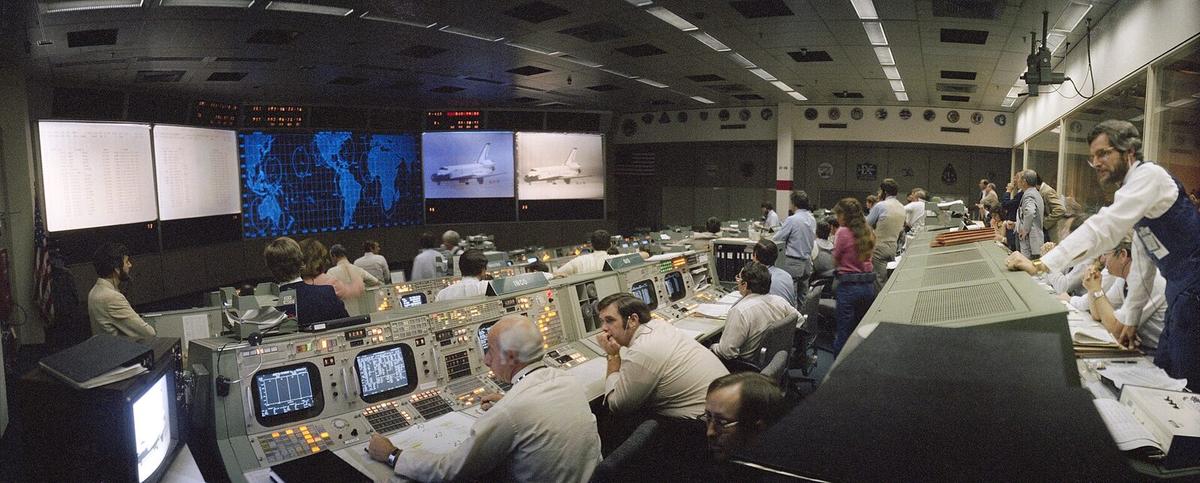 Mission control during the first Space Shuttle flight in 1981. Nothing in this room changes without a request, a review and a go. Photo by NASA, public domain, via Wikimedia Commons.
It protects all three parts of the CIA triad. A bad change can expose data, corrupt it, or take the system down. It also helps detection: when every approved change is on record, a change that is not on record stands out.
What goes on a change request?
The exam lists eight business process terms. They read like paperwork until you see that each one answers a question somebody will ask at two in the morning.
| Term | The question it answers |
|---|---|
| Approval process | Who said yes, and were they allowed to? |
| Ownership | Who is responsible for this change from start to finish? |
| Stakeholders | Who is affected and needs a say or a warning? |
| Impact analysis | What could this break, and how bad would that be? |
| Test results | What happened when we tried it somewhere safe? |
| Backout plan | How do we undo it if it goes wrong? |
| Maintenance window | When can we do it with the least harm? |
| Standard operating procedure | What are the written steps, so it is done the same way every time? |
The questions are the same at any size. In a large hospital system the approval process is usually a change advisory board that meets every week. In a small clinic it might be the office manager and the IT contractor on a ten-minute call.
Two of these get skipped more than the rest. Ownership sounds obvious until a change fails and three people each thought someone else was watching it. One named person owns the change, even when five people do the work. Stakeholders get skipped because telling them is slow. Then the billing service finds the server down at 11 p.m. and opens its own trouble ticket, and two teams spend the night chasing one planned event.
A worked change
Say the clinic needs to patch its patient records server. Follow the request.
The IT contractor is the owner. The stakeholders are the physicians, the front desk and the billing service that connects every night. The impact analysis says the server will be offline for part of the work, and that the patch touches the database the lab interface relies on. The contractor installs the patch on a test copy first, and the test results show the records system and the lab interface both still work.
The maintenance window is Saturday from 8 to 10 p.m., when the clinic is closed and before the billing job starts at 11. The backout plan is a snapshot taken right before the patch, with a rule: if testing has not passed by 9:30, restore the snapshot. The office manager gives approval by email on Thursday. The contractor follows the clinic's standard operating procedure for server patching, which is a one-page checklist.
| Backup and snapshot | 20 min |
|---|---|
| Install the patch | 25 min |
| Restart services | 15 min |
| Test with real workflows | 30 min |
| Held back for backout | 30 min |
Source: Worked example in this article
Look at the last bar. A quarter of the window is reserved for undoing the change. A window that only fits the change itself has no room for failure.
Watch out
A backout plan nobody has tried is a hope. If you have never restored that snapshot, you do not know that you can, and Saturday night is a bad time to find out.
What will the change touch?
The second list in this objective is technical. These are the things a change bumps into.
| Term | Why it matters during a change |
|---|---|
| Allow lists and deny lists | New software or a new address may be blocked until the lists are updated, and a careless update can permit too much |
| Restricted activities | The approval covers a defined scope. Extra work done "while you are in there" is a new, unreviewed change |
| Downtime | Users lose the system for a while, so it has to be planned and announced |
| Service restart | Stopping and starting one service drops its connections |
| Application restart | Users may lose sessions and unsaved work |
| Legacy applications | Old software may fail on a new version of something it relies on, and the vendor may be gone |
| Dependencies | Changing one part can break another part that relies on it |
Dependencies are where good changes go bad. The clinic's lab interface depends on the database, which depends on the operating system. Patch the bottom layer and you must test the top one. Restart order matters too: start the application before its database is up and it may fail in ways that look like a brand new problem.
Downtime needs an honest estimate. The patch may take 25 minutes to install, but the outage users feel runs from the moment the first service stops to the moment the last test passes. Announce that longer number.
Legacy applications deserve their own line in the impact analysis. If the scheduling program only runs on an old version of a component, updating that component is a decision about the scheduling program, whether or not anyone meant it to be.
Allow lists and deny lists cut both ways. A new version of a program may be blocked on Monday morning because the application allow list still names the old one. And the quick fix, permitting everything from that vendor, is exactly the kind of wide rule that should have gone through review.
The flow of required changes is not slowing down. CISA's Known Exploited Vulnerabilities catalog, version 2026.11.10, held 1,779 entries, with 295 added in 2026 up to 10 November.
| 2022 | 555 |
|---|---|
| 2023 | 187 |
| 2024 | 186 |
| 2025 | 245 |
| 2026 to 10 Nov | 295 |
Source: CISA Known Exploited Vulnerabilities catalog, version 2026.11.10
Every entry is a flaw that attackers are known to have used, and the usual remedy is an update. That is a steady stream of changes you cannot skip, so you need a way to make them quickly without breaking things.
Tip
If a scenario asks what should have existed before a failed update was applied, the answer is usually the backout plan. If it asks when the update should have been applied, it is the maintenance window.
Then update the paperwork
A change is not finished when the system comes back up. The exam names two documentation tasks.
Updating diagrams. If the change moved a server, added a network segment or opened a new connection, the network diagram is now wrong. The next person to troubleshoot, or to respond to an incident, will be working from a false map.
Updating policies and procedures. If the patch changed how staff log in, the login instructions need the new steps. If a new system holds patient data, the backup procedure and the access policy need to mention it.
I would put this in the checklist itself: the change ticket does not close until the documents are updated.
Version control
Version control keeps every version of a file, along with who changed it, when, and why. Developers use it for code. It works just as well for firewall configurations, scripts and policy documents.
It gives you three things. You can see exactly what changed between last week and today. You can go back to a known good version, which makes it part of your backout plan. And you have a record of who made each change, which supports accountability. When a setting turns out to be wrong, "who changed this, and what did it say before?" has an answer.
What to remember
- An unreviewed change is one of the easiest ways to break a secure system.
- Every change needs an owner, an approval, an impact analysis, test results, a backout plan and a window.
- Stay inside the approved scope.
- Plan for downtime, restarts, legacy applications and dependencies before you start.
- Update diagrams, policies and procedures before closing the change.
- Version control shows what changed and lets you go back.
Change management has a reputation for slowing people down, and a bad process does. A good one is short. It means that when something breaks at 9:15 on a Saturday night, you already know what you changed and how to put it back.